
Legal Tech
Legal Tech Companies: Top Picks & Game-Changing AI Tools (2026)


I spent the last several months deep inside the legal technology ecosystem testing platforms, talking to legal ops professionals, and comparing tools across categories.
The space has exploded. Legal tech companies are no longer just e-billing vendors. They are building agentic AI systems that draft contracts, uncover litigation opportunities, and run entire workflows autonomously.
This guide covers what I found. I ranked platforms by real-world utility, not by who has the flashiest pitch deck. Whether you are a solo attorney, an in-house counsel, or a legal tech investor this is the most complete breakdown you will find right now.
Table of Contents
- What Are Legal Tech Companies?
- My Honest First Impressions
- Key Features to Look For
- How to Get Started: Step-by-Step Guide
- Best Legal Tech Companies by Category
- How Legal Tech Works
- Community and Social Features
- Full Features and Benefits Table
- Pros and Cons
- Safety and Trust
- Legal Tech Companies Comparison Table
- Tips and Tricks
- Who Is It Best For?
- External Resources
- FAQs
- Final Verdict
What Are Legal Tech Companies?
Legal tech companies are organizations that build software, platforms, and AI tools designed to modernize, automate, or improve how legal services are delivered.
They serve law firms, in-house legal teams, courts, compliance departments, and legal service providers.
The core product categories include:
- Generative AI for legal research and drafting
- Contract lifecycle management (CLM)
- E-discovery and litigation analytics
- Practice management and billing
- Compliance and risk management tools
The global legal tech market was valued at over $35 billion in 2024. By 2030, projections put it well above $100 billion, driven almost entirely by AI adoption inside legal workflows.
This is not incremental change. Firms that ignore these tools are already falling behind on turnaround time, cost, and accuracy.
My Honest First Impressions
I came into this expecting to find a few standout platforms and a lot of noise.
That is mostly what I found — but the standout platforms genuinely impressed me.
Harvey AI, in particular, operates at a different level than what I expected from a legal AI tool. It did not feel like a search engine with a legal skin. It felt like working alongside a knowledgeable associate who had already read every relevant document.
Clio surprised me in the practice management space. The acquisition of Jurisage was smart. Their native AI integration — now branded as Clio Work — is coherent and practical, not bolted on.
The weakest category right now is compliance automation for smaller teams. Most platforms are still built for enterprise legal departments with dedicated IT resources. There is real opportunity in the mid-market.
Here is what stood out overall:
- Speed of AI-generated drafts has improved dramatically in 2025-2026
- Accuracy with citation verification is still variable — always review
- Pricing is still opaque on most platforms — expect heavy negotiation
Also read this : Legal Tech & Practice Solutions: The Future of Legal Tech & Practice Solutions in AI Legal Tech (2026 Guide)
Key Features to Look For
Generative AI Document Capabilities
The best legal tech platforms now use fine-tuned large language models trained on legal corpora. Generic LLMs produce plausible-sounding legal content that does not hold up. Domain-specific AI produces output that practicing attorneys can actually use.
Look for: citation verification, jurisdiction-aware drafting, and clause-level contract intelligence.
E-Discovery and Litigation Analytics
Modern e-discovery tools handle terabytes of documents with AI-assisted relevance scoring. The difference between a capable platform and a weak one is how accurately it flags privileged material and reduces review time.
Look for: predictive coding, AI-assisted privilege review, and litigation timeline visualization.
Contract Lifecycle Management Features
CLM platforms handle everything from contract creation and redlining to signature, storage, and renewal tracking. The best ones extract structured data from executed contracts automatically.
Look for: workflow automation, obligation tracking, and integration with CRM and ERP systems.
Practice Management and Billing Automation
These tools run the operational layer of a law firm — client intake, time tracking, billing, and document storage.
Look for: cloud-native architecture, mobile access, and clean integration with accounting platforms.
Security and Compliance Infrastructure
Legal data is among the most sensitive data that exists. Enterprise platforms must comply with SOC 2 Type II, ISO 27001, and relevant bar association technology guidelines.
Look for: end-to-end encryption, role-based access controls, and audit trail logs.
How to Get Started
Here is the straightforward process I recommend for any legal team evaluating legal tech platforms:
Step 1: Define your primary pain point. Are you spending too much time on contract review? Do you need better research tools? Are billing and intake a mess? Pick one problem first.
Step 2: Map your team size and budget. Most enterprise platforms (Harvey, Ironclad, Relativity) require significant budget and IT involvement. Solo and small firm tools (Clio, MyCase, PracticePanther) are more accessible.
Step 3: Run a pilot with real work. Do not evaluate a platform using demo data. Take three real tasks from your current workload and run them through the trial environment. That tells you everything.
Step 4: Evaluate integrations. Your legal tech platform needs to work with Microsoft 365, Google Workspace, Salesforce, or whatever your firm already uses. Integration gaps create more manual work, not less.
Step 5: Negotiate pricing before committing. Most legal tech vendors have significant pricing flexibility, especially for annual contracts. Always negotiate. Always ask for a pilot extension before signing.
Step 6: Train your team deliberately. Technology adoption in legal is notoriously slow. Assign an internal champion, run structured training sessions, and track adoption metrics in the first 90 days.
Best Legal Tech Companies by Category
AI-Native Legal Research Platforms
Harvey AI is currently the most sophisticated generative AI platform purpose-built for law. Backed by OpenAI and major venture capital, it serves elite global law firms and large corporate legal departments. It handles end-to-end workflows including contract intelligence, legal research, and due diligence analysis.
Casetext (CoCounsel), now part of Thomson Reuters, was one of the earliest generative AI legal tools to reach mainstream adoption. It excels at document review, deposition preparation, and research summarization.
Legora positions itself as an “agentic operating system” for legal teams — connecting research, communication, and task execution in a unified interface. It is gaining traction in mid-market law firms.
Contract Lifecycle Management Companies
Ironclad is the market leader in CLM for high-growth companies. Mastercard and L’Oreal are among its reported customers. The platform automates contract workflows from request through execution while extracting structured business intelligence from executed agreements.
Luminance uses proprietary AI to surface anomalies, track obligations, and assist in real-time contract negotiation. It is especially strong in due diligence use cases.
Spellbook takes a different approach: it lives inside Microsoft Word. Instead of pulling attorneys into a new platform, it brings AI-assisted contract drafting and clause suggestions directly into the tool they already use.
LegalOn Technologies is a contract review and guidance platform built for in-house legal teams. It combines AI review with curated legal playbooks.
E-Discovery and Litigation Platforms
Everlaw is a cloud-native platform used by major law firms and corporate legal teams for e-discovery, investigation, and litigation analytics. Its AI-powered document review is among the most accurate in the market.
Relativity is the long-standing enterprise standard for e-discovery and compliance. It handles massive document volumes and has built out AI capabilities through its RelativityOne platform.
DISCO focuses on litigation lifecycle management — from data collection through case strategy — with strong AI-assisted review features.
Practice Management and Law Firm Operations
Clio is the dominant cloud-based practice management platform for small and mid-size firms. After acquiring Jurisage, it has significantly expanded its AI capabilities. Clio covers everything from client intake and time tracking to billing and document management.
MyCase and PracticePanther offer strong alternatives for small firm operations at competitive price points.
iManage serves larger law firms focused on document and email management, with strong governance and security infrastructure.
Legal Tech Companies in India
India’s legal tech ecosystem is growing rapidly. Notable platforms include:
- SpotDraft: A fast-growing CLM platform founded in India, now serving global clients.
- Leegality: India’s leading e-signature and digital agreement platform, used by banks, NBFCs, and large enterprises.
- Lumiform and NITI Aayog-backed initiatives are also advancing access-to-justice technology at scale.
Legal tech companies in India face a unique challenge: serving both an advanced corporate legal market and massive underserved populations that need affordable legal access tools.
Legal Tech Companies in London and the UK
London is one of the world’s most active legal tech hubs.
- Luminance: Founded in London, now globally deployed
- RAVN Systems: AI-powered document analysis, acquired by iManage
- Juro: A contract collaboration platform with strong traction in UK scale-ups
- Lawhive: Disrupting consumer legal services in the UK with AI-assisted fixed-fee legal work
The UK LegalTech Association and programs backed by the Solicitors Regulation Authority have accelerated adoption significantly since 2023.
Legal Tech Companies in the USA
The US market dominates global legal tech investment. Key hubs include:
- New York (NYC): Darrow, Justpoint, Paxton AI, and several litigation-focused AI startups
- San Francisco/Silicon Valley: Harvey AI, Ironclad, Clio’s US operations
- Chicago: Relativity (the e-discovery giant) maintains its headquarters there
Legal tech companies hiring in the US are largely concentrated in AI engineering, legal product management, and enterprise sales roles.
Legal Tech Companies in Canada
Canada has a growing legal tech cluster, particularly in:
- Toronto: Clio (founded in Vancouver, major Toronto presence), ThoughtRiver
- Vancouver: Clio’s founding city, still an active hub
Canadian legal tech benefits from proximity to the US market with lower operational costs and strong local legal talent pools.
Legal Tech Companies in Bangalore (Bengaluru)
Bangalore serves as the engineering backbone for several global legal tech platforms:
- Multiple US and UK-based legal tech companies maintain R&D and engineering teams in Bangalore
- Local platforms like Leegality have Bangalore-based operations
- The city’s deep technology talent pool makes it a natural center for legal AI development work
- How Legal Tech Works
Understanding the underlying mechanics helps you evaluate platforms more honestly.
Most modern legal tech platforms are built on three layers:
Layer 1: Data Ingestion Platforms ingest structured and unstructured data — documents, emails, contracts, court filings, case notes. The quality of ingestion directly affects AI output quality.
Layer 2: AI Processing This is where the differentiation lives. Some platforms use general-purpose LLMs (GPT-4, Gemini, Claude) accessed via API. Others — like Harvey — use domain-specific fine-tuned models. Domain-specific models consistently outperform general models on legal accuracy benchmarks.
Layer 3: Interface and Workflow The best platforms minimize how much attorneys have to change their behavior. Spellbook living inside Word is a good example. The fewer new interfaces to learn, the faster adoption happens.
How AI Citation Verification Works
Citation accuracy is the most discussed — and most criticized — aspect of legal AI. The best platforms now use retrieval-augmented generation (RAG) to pull verified citations from curated legal databases (Westlaw, LexisNexis) rather than generating citations from model weights alone.
This is a meaningful improvement over early 2023-era tools that hallucinated case citations entirely.
Community and Social Features
Legal tech has developed a surprisingly active community layer.
LinkedIn groups for legal technology professionals have grown significantly, with communities around practice management, CLM, and AI adoption attracting tens of thousands of members.
Industry conferences including LegalWeek (New York), the CLOC Global Institute, and Legaltech World dominate the in-person networking calendar.
Slack communities like the Legal Operators community and various practice management user groups provide real-time peer support and vendor feedback loops.
Many platforms have also built in-product user communities. Clio’s user community and annual Clio Cloud Conference have become genuine networking events for the small-firm legal market.
Full Features and Benefits Table

Feature Category
What It Does
Who Needs It Most
Generative AI Drafting
Drafts contracts, memos, and briefs from prompts
Large firms, in-house counsel
Legal Research AI
Surfaces relevant case law and statutes
All attorney types
Contract Lifecycle Management
Manages contracts from request to renewal
In-house teams, CLO offices
E-Discovery
AI-assisted document review for litigation
Litigation teams, law firms
Practice Management
Billing, intake, scheduling, case management
Solo, small, and mid-size firms
Compliance Automation
Tracks regulatory obligations, flags risks
Corporate legal, compliance teams
Citation Verification
Confirms case citations against real databases
All research-heavy work
Document Automation
Generates standard documents from templates
High-volume routine document work
E-Signature Integration
Collects legally binding signatures digitally
Transactional and contract teams
Analytics and Reporting
Tracks matter economics and firm performance
Law firm management, legal ops
Pros and Cons
Pros
AI-generated first drafts reduce contract turnaround from days to hours
E-discovery platforms cut document review costs by 30-60% in documented case studies
Cloud-based practice management eliminates most server maintenance overhead
Citation-verified legal research substantially reduces hallucination risk vs. generic AI
Platforms like Clio and PracticePanther have made legal operations accessible to solo attorneys who previously could not afford legal ops infrastructure
Agentic AI tools are starting to handle multi-step workflows without constant human prompting
Cons
Enterprise platforms (Harvey, Ironclad, Relativity) require significant IT involvement and are priced for large organizations
AI output still requires attorney review — it accelerates work, it does not replace legal judgment
Pricing is opaque on most platforms — budget surprises are common without careful contract review
Mid-market and small firm needs are underserved in the AI-native tier
Integration between platforms remains a challenge — most legal tech stacks are fragmented
Data privacy concerns are legitimate and require careful vendor due diligence
The pace of change means tools evolve rapidly — what works today may be superseded in 12 months
Safety and Trust
Legal data requires the highest standard of data security. Here is what to verify before signing any legal tech contract:
Data Residency: Confirm where your data is stored. For UK and EU firms, GDPR compliance is non-negotiable. US federal and state legal matters may have specific data handling requirements.
Model Training Practices: Ask explicitly whether your data is used to train vendor AI models. Most enterprise-grade platforms (Harvey, Ironclad, LexisNexis) confirm that customer data is not used in model training by default.
SOC 2 Type II Certification: This is the baseline security audit standard for SaaS platforms serving legal organizations. Require it.
Bar Association Compliance: Most major bar associations in the US, UK, and Canada have issued guidance on attorney use of AI tools. Ensure your platform use complies with your jurisdiction’s professional conduct rules regarding client confidentiality.
Attorney-Client Privilege Preservation: Cloud storage of privileged communications requires careful configuration of access controls. Work with your IT team and outside counsel to structure this properly.
Full Features and Benefits Table
Feature Category
What It Does
Who Needs It Most
Generative AI Drafting
Drafts contracts, memos, and briefs from prompts
Large firms, in-house counsel
Legal Research AI
Surfaces relevant case law and statutes
All attorney types
Contract Lifecycle Management
Manages contracts from request to renewal
In-house teams, CLO offices
E-Discovery
AI-assisted document review for litigation
Litigation teams, law firms
Practice Management
Billing, intake, scheduling, case management
Solo, small, and mid-size firms
Compliance Automation
Tracks regulatory obligations, flags risks
Corporate legal, compliance teams
Citation Verification
Confirms case citations against real databases
All research-heavy work
Document Automation
Generates standard documents from templates
High-volume routine document work
E-Signature Integration
Collects legally binding signatures digitally
Transactional and contract teams
Analytics and Reporting
Tracks matter economics and firm performance
Law firm management, legal ops
Tips and Tricks
Start with one workflow, not the whole firm. Trying to transform your entire legal operation at once is the fastest way to fail at legal tech adoption. Pick one repetitive, time-consuming process — contract first drafts, matter intake, or e-billing — and fix that first.
Use the API where available. Many legal tech platforms expose APIs that allow custom integrations. If your firm has even a basic IT function, connecting your CRM, document management, and billing system via API saves enormous manual work.
Build an internal prompt library. For AI drafting tools, the quality of output is heavily influenced by prompt quality. The firms getting the most value from tools like Harvey and Spellbook have invested in building and maintaining internal prompt libraries that any attorney can use.
Negotiate data portability upfront. Before signing any contract, confirm what format your data can be exported in and what the process is. Platform lock-in is a real risk in legal tech — especially for CLM and practice management data.
Track time saved, not just features used. Measure the ROI of your legal tech tools by documenting time saved on specific tasks before and after implementation. This data justifies continued investment and helps identify which tools are actually earning their cost.
Attend user conferences. Every major legal tech platform hosts an annual user conference. These events consistently deliver more practical product knowledge than any sales demo. Clio Cloud Conference, Relativity Fest, and LegalWeek are worth attending.
Who Is It Best For?
Large Law Firms (AmLaw 200 and global firms): Harvey AI, Casetext/CoCounsel, Everlaw, and Relativity are built for your scale and complexity. Expect significant implementation timelines and IT involvement.
In-House Corporate Legal Teams: Ironclad, Luminance, and LegalOn Technologies were built with corporate CLO offices in mind. Compliance automation tools from OpenText are also relevant at enterprise scale.
Small and Mid-Size Law Firms: Clio, MyCase, and PracticePanther handle your operations well. Paxton AI and Spellbook offer accessible AI research and drafting tools at price points that work for smaller teams.
Solo Attorneys: Clio Solo, Paxton AI, and Spellbook give solo practitioners access to tools that were previously reserved for firms with full legal ops teams.
Litigation Boutiques: Darrow, Justpoint, and DISCO are particularly well suited to plaintiff-side litigation and boutique commercial litigation firms. Darrow’s case identification AI is genuinely differentiated for this segment.
Legal Tech Investors and Business Development Professionals: Harvey, Ironclad, Luminance, and Darrow represent the current investment tier worth monitoring. Legal tech companies in London, New York, and Bangalore represent the three most active clusters for deal flow.
Legal Teams in India, Pakistan, and Emerging Markets: SpotDraft and Leegality serve the Indian market well. Globally accessible platforms like Clio and Ironclad are available in these markets with appropriate data residency configurations.
For ongoing legal tech market intelligence, these two resources are worth bookmarking:
CLOC (Corporate Legal Operations Consortium) — cloc.org — The definitive professional community for legal operations professionals. Their annual State of the Industry report is the most reliable source of data on how in-house legal teams are adopting technology.
Artificial Lawyer — artificiallawyer.com — The most consistent trade publication covering legal AI and legal tech company news globally. Particularly strong on UK and European market coverage.
FAQs
What are legal tech companies? Legal tech companies build software and AI tools designed to automate, modernize, and improve how legal services are delivered. They serve law firms, in-house counsel, courts, compliance teams, and legal service providers across categories including AI research, contract management, e-discovery, and practice management.
What are the top legal tech companies in 2026? The leading legal tech companies in 2026 include Harvey AI, Clio, Ironclad, LexisNexis, Thomson Reuters (Westlaw), Everlaw, Relativity, Luminance, Spellbook, and Darrow. Each leads in a distinct category. Harvey dominates AI-native legal platforms; Clio leads in practice management for small and mid-size firms.
What is an example of legal tech? Casetext’s CoCounsel is one of the most widely used examples. An attorney uploads a set of deposition transcripts and case documents, and CoCounsel automatically extracts key facts, inconsistencies, and research leads. Spellbook is another example — it suggests and reviews contract clauses inside Microsoft Word in real time.
Why is Harvey AI called Harvey? Harvey AI is named after Harvey Specter, the fictional attorney from the television series “Suits.” The name reflects the company’s aspiration to build the most capable AI legal platform available — a reference that resonates in legal professional culture.
Are legal tech companies hiring right now? Yes. Legal tech companies are among the most active hirers in the broader tech sector in 2026. The highest-demand roles are AI/ML engineers, legal product managers, enterprise account executives, and legal content specialists. Harvey, Ironclad, Clio, and Everlaw have all maintained active hiring pipelines.
Which legal tech companies are publicly traded? Very few pure-play legal tech companies are publicly traded. Thomson Reuters is publicly traded on NYSE and TSX. OpenText is publicly traded and has significant legal tech exposure. Most high-profile AI-native legal tech companies (Harvey, Ironclad, Darrow) remain private, venture-backed companies as of 2026.
What legal tech companies are in New York City? New York City has one of the highest concentrations of legal tech companies globally. Notable NYC-based or NYC-present companies include Darrow, Justpoint, Paxton AI, Caseflood.ai, and multiple enterprise sales operations for global platforms like Harvey, Relativity, and Ironclad. LegalWeek, held annually in NYC, is the industry’s flagship US conference.
What is the difference between legal tech and law firms? Law firms deliver legal services — they represent clients, provide legal advice, and execute legal strategy. Legal tech companies build the software and AI tools that law firms (and corporate legal teams) use to deliver those services more efficiently. Some legal tech platforms are beginning to blur this line by offering AI-powered legal services directly to consumers.
Are there legal tech companies focused on access to justice? Yes. Platforms like Lawhive (UK), DoNotPay, and several NGO-backed tools are specifically targeting access-to-justice gaps. In India, several government-backed and startup initiatives are working on affordable legal tech for underserved populations. This remains an underfunded but growing segment.
What legal tech companies are based in Canada? Clio is the most prominent Canadian legal tech company, founded in Vancouver with operations across North America. Canada also hosts ThoughtRiver (now part of the Thomson Reuters ecosystem) and a growing startup cluster in Toronto and Vancouver focused on AI-powered legal tools.
Final Verdict- After testing platforms, reviewing data, and tracking this market for months — here is my honest take.
- The legal tech industry has genuinely matured. This is not hype anymore.
- Harvey AI is the most impressive platform I encountered for firms with the budget and scale to use it. Ironclad remains the standard for contract lifecycle management at growth-stage and enterprise companies. Clio is the clear winner for small and mid-size firm operations — the Jurisage acquisition made their AI roadmap significantly more credible.
- The weakest area remains mid-market legal AI. There is a real gap between tools built for AmLaw 100 firms and tools built for 10-person boutiques. That gap is where the next wave of legal tech startups will likely find traction.
- If I had to recommend a single starting point for most legal teams: start with Clio if you are a law firm, start with Ironclad if you are building an in-house team. Add an AI research layer (Paxton for smaller teams, CoCounsel or Harvey for larger ones) once your operational foundation is solid.
- The firms winning right now are not the ones with the most legal tech tools. They are the ones who picked two or three platforms, implemented them properly, and trained their teams to use them consistently.
- My Overall Rating of the Legal Tech Category: 4.3 / 5
- The technology is genuinely powerful. Implementation complexity and pricing opacity are the primary friction points holding the category back from a perfect score.



I stumbled onto PlayMyWorld games because my nephew refused to stop talking about it. I figured it was another Roblox clone I’d close after ten minutes. I was wrong.
Three months later, I’m still logging in. I’ve built obstacle courses nobody asked for. I’ve joined a guild that meets every Tuesday. I’ve lost sleep over puzzle worlds I couldn’t stop until I solved them.
This isn’t a PR puff piece. I’ll tell you exactly what works, what frustrates me, and who this platform is actually built for so you can decide in five minutes whether it’s worth your time.
Table of Contents
- What Are PlayMyWorld Games?
- My Honest First Impressions
- Key Features of PlayMyWorld
- How to Get Started — Step-by-Step
- Best Games Available on PlayMyWorld
- How PlayMyWorld Actually Works
- Community and Social Features
- Full Features & Benefits Table
- Pros and Cons
- Safety and Trust
- PlayMyWorld vs Competitors
- Tips and Tricks
- Who Is PlayMyWorld Best For?
- External Resources
- FAQs
- Final Verdict
- RankMath Checklist
What Are PlayMyWorld Games?
PlayMyWorld games make up a browser-based platform where anyone can play, build, and share interactive game worlds without downloading a single file.
You open your browser. You log in. You’re inside a game within seconds.
The platform launched as a direct response to the friction problem in gaming. Most platforms require downloads, launchers, account verifications, and hardware minimums. PlayMyWorld cuts all of that out.
The core offering breaks into three parts:
- Play: Explore hundreds of user-built worlds races, puzzles, adventures, social hubs
- Build: Create your own games using a drag-and-drop World Studio that requires zero coding
- Connect: Play alongside up to 100 people in a single world, chat, join guilds, attend events
According to data highlighted by TechCrunch’s 2025 gaming platform report, user-generated content platforms saw a 60% increase in active users compared to traditional gaming services during 2024–2025. PlayMyWorld sits directly in that wave.
The platform is free to start. Optional premium features exist, but you can play and build for nothing.
My Honest First Impressions
I expected to be bored within 20 minutes. That’s usually how these things go for me.
Instead, I spent my first session building a terrible obstacle course. It didn’t work. Platforms kept spawning in the wrong spots. My jump pads launched players into walls. It was embarrassing.
But I fixed it. Tweaked it. I played through it myself. Then my nephew jumped in and actually enjoyed it despite the jank.
That hooked me more than any polished game could have. Creation is the real draw here.
The interface felt clean on my first visit. No aggressive ads. No ten pop-ups asking me to upgrade. Just a feed of worlds, a search bar, and a button to start building. It took maybe two minutes to orient myself.
Performance on my 2019 laptop was solid. No stutter, fast loads, no battery massacre. That matters to me because I’m not running a gaming rig, just a regular machine I use for work.
My first week on PlayMyWorld games was genuinely fun in a way I hadn’t felt from a new platform in years.
Key Features of PlayMyWorld
Drag-and-Drop World Studio
The World Studio is the centerpiece. It’s a no-code builder for constructing full game environments.
You drag terrain tiles, buildings, obstacles, NPCs, and interactive objects into a 3D space. You set rules what triggers what, how scoring works, where players respawn. Then you publish it.
I built a functional racing map in about 45 minutes on my first proper attempt. No coding. No tutorials needed beyond the basic intro guide.
Browser-First Architecture
Everything runs in Chrome, Firefox, Edge, or Safari. No launcher. No download. No system requirement check.
This matters more than it sounds. I’ve started building something on my phone during my lunch break and finished it on my desktop that evening. The cloud saves state automatically across devices.
100-Player Multiplayer
Most user-generated platforms cap at smaller numbers. PlayMyWorld hosts up to 100 players in a single world simultaneously.
For social gaming and community events, this changes what’s possible. A 100-person obstacle race feels genuinely chaotic and fun in a way a 16-player lobby never quite does.
Avatar Customization System
Character creation is deeper than I expected for a free platform:
- 500+ clothing items spanning casual, fantasy, futuristic, and sports styles
- 200+ hairstyle options
- Granular facial feature editing
- Accessories including hats, glasses, backpacks, and companion pets
- Full color palette control across nearly every element
I spent embarrassingly long making my avatar look like a better-dressed version of me. No regrets.
Creator Monetization Tools
Creators can earn real money through the platform via:
- Selling custom avatar items and building assets
- Gating premium worlds behind small access fees
- Receiving in-game tips from players
- Partnering with brands on sponsored worlds
The platform takes a 30% cut, which is standard but steeper than some alternatives. More on that in the Pros and Cons section.
AI-Powered Recommendations
The discovery algorithm learns what types of worlds you enjoy and surfaces similar content. After about a week of use, my recommendations became genuinely useful, less random scrolling, more targeted suggestions.
A beta AI world generation tool is also in testing. You type a description, and the system creates a starter environment you then customize. I tried it with “underground mushroom forest with glowing rivers.” The framework it built in under two minutes was legitimately impressive.
How to Get Started
Getting into PlayMyWorld games takes about five minutes from scratch.
Step 1: Visit the Platform Go to PlayMyWorld in your browser. No download prompt will appear, just a sign-up page.
Step 2: Create Your Account Enter an email and choose a username. Verification is quick. No elaborate profile setup required before you can play.
Step 3: Customize Your Avatar The platform walks you through basic character creation. You can return and change anything later, nothing is locked.
Step 4: Explore the Discovery Feed The homepage shows trending worlds, new releases, and staff picks. Jump into anything that catches your eye. No commitment close and try something else if it doesn’t click.
Step 5: Try Building Something Hit the “Create” button and open the World Studio. Follow the built-in tutorial. It covers the basics in about 15 minutes. Then start experimenting on your own.
Step 6: Join the Community Browse guilds in the social tab. Find groups that match your interests: builders, racers, puzzle solvers, social hangout types. Request to join and introduce yourself.
That’s genuinely it. No paywall in the way. No hardware check. Just playing.
Best Games Available on PlayMyWorld

The quality varies wildly; that’s the nature of user-generated content. But standout categories consistently deliver:
Racing Worlds The best ones feature custom physics, lap timers, and leaderboards. Some builders have created 10+ track variations with weather effects and vehicle handling differences. These are genuinely competitive.
Puzzle and Escape Room Worlds My personal favorite category. Some creators build puzzle chains with actual narrative logic, not just “find the key.” The better ones rival dedicated escape room games in design quality.
Adventure and RPG Maps Longer-form experiences with quests, branching dialogue, and collectibles. Some run 3–5 hours of content. The hit rate is lower here since they take serious effort to build well, but when someone nails it, the experience holds up.
Social Hubs and Hangout Spaces These aren’t really “games” they’re just spaces to exist in together. Cafes, city squares, rooftop lounges. People use them like digital third places. Strange concept until you try it; then it makes complete sense.
Builder Challenges Time-limited competitive building against other players. The prompt might be “build a functional maze in 30 minutes.” Judging is community vote. Chaotic and fun.
Educational Worlds Growing in number as schools adopt the platform. Physics simulations, historical recreations, logic puzzle sequences. Some are legitimately well-designed and engaging beyond just the classroom context.
How PlayMyWorld Actually Works
The technical backbone is smarter than the simple interface suggests.
Cloud Infrastructure Everything processes server-side. Your device renders the visual output but doesn’t carry the computational load. That’s how a phone from 2021 runs complex multiplayer worlds without overheating.
Real-Time Sync Cross-device saves happen automatically in the background. I’ve never lost progress between sessions. The sync is seamless. I genuinely forget it’s happening.
The World Studio Engine Under the drag-and-drop interface sits a proper game engine. Physics simulation, collision detection, scripted triggers, and NPC behavior trees all run behind the scenes. Creators interact with simplified controls; the engine handles the technical reality.
Moderation Layer Automated content scanning reviews new worlds before they go public. User reports feed into a manual review queue. Neither system is perfect, more on that in Pros and Cons but the combination catches most problems.
Monthly Update Cycle The development team ships meaningful updates monthly. Recent additions include:
- 4K resolution support for capable devices
- Ray tracing for realistic lighting in supported worlds
- Improved water physics with actual flow simulation
- Expanded NPC behavior options in the World Studio
- AI recommendation improvements based on play pattern data
Community and Social Features
The social layer surprised me more than any technical feature.
Guilds Groups of players organized around shared interests. I joined “Tuesday Builders” after someone invited me during a race. Now it’s a weekly routine we hop in around 8 PM, build random stuff for an hour, chat about nothing in particular. I look forward to it.
Voice and Text Chat Both exist. Voice works well enough, though I stick to text since my setup picks up every background sound. Real-time communication inside worlds makes collaborative building and competitive gaming significantly better.
Official Events The platform hosts regular community events:
- Monthly building competitions with featured placement prizes
- Speed trials through community-voted obstacle courses
- Multi-day story events with daily unlocking chapters
- Creator showcases spotlighting lesser-known world builders
- Charity streams with top creators playing together for various causes
These events feel grassroots rather than corporate. Community moderators who actually play the platform run most of them. That authenticity shows.
Social Feed A scrollable stream of worlds your friends have visited, created, or rated. Functions like a gaming-specific social network. You discover content through people you trust rather than pure algorithmic suggestions.
Creator Profiles Each creator gets a public profile showing their worlds, stats, ratings, and follower count. Players can follow creators they love to stay updated on new releases. This builds genuine micro-communities around individual builders.
Full Features & Benefits Table
| Feature | Details |
| Platform Access | Browser-based no download required |
| Device Compatibility | Desktop, laptop, tablet, mobile |
| Cross-Device Sync | Automatic cloud saves |
| Creation Tools | Drag-and-drop World Studio, no coding needed |
| Multiplayer Capacity | Up to 100 players per world |
| Avatar Customization | 500+ clothing, 200+ hairstyles, full color control |
| Discovery System | AI-powered recommendations + social feed |
| Monetization Options | Asset sales, premium worlds, tips, brand sponsorships |
| Community Features | Guilds, voice chat, text chat, official events |
| Content Types | Racing, puzzles, adventure, social hubs, educational |
| Update Frequency | Monthly feature and content updates |
| Safety Tools | Automated scanning, user reports, parental controls |
| Cost to Start | Free (optional premium tier available) |
| Creator Revenue Share | 70% to creator, 30% platform fee |
| Educational Support | Teacher admin controls, curriculum templates |
Pros and Cons
✅ What Works Well
- Zero download barrier genuinely works in any browser on any device
- World Studio is beginner-friendly without feeling limited
- 100-player multiplayer is rare and genuinely changes the social experience
- Strong community culture around building and collaboration
- Monthly updates with meaningful new features
- Solid parental controls and safety infrastructure
- Real monetization potential for active creators
- AI recommendations actually improve with use
- Educational use case is well-supported with purpose-built tools
- Free entry point with no paywall blocking core features
❌ What Needs Improvement
- Mobile controls feel clunky for complex building tasks mouse and keyboard is clearly the intended setup
- Server lag spikes during peak hours not game-breaking, but noticeable
- Content moderation inconsistency automated filters miss real problems while sometimes flagging innocent content
- 30% platform fee on creator earnings is higher than some alternatives
- Advanced creation features aren’t well-documented power users dig through forums to find techniques
- Graphics ceiling is lower than dedicated gaming platforms not a priority for this platform, but worth knowing
- World quality varies wildly discovery relies on recommendations until you build your own taste for the platform
Safety and Trust
PlayMyWorld clearly treats safety as a competitive advantage, not an afterthought.
Parental Controls Parents can set age-appropriate content filters, monitor chat logs, restrict who their child interacts with, and limit which worlds are accessible. The controls are detailed without being complicated.
Guardian Approval for Monetization Underage creators can build and share freely. But enabling any monetization feature requires explicit guardian approval. This is smart policy , it keeps kids creative while keeping financial decisions adult-supervised.
Teacher Admin Panels Schools using the platform get dedicated admin dashboards. Teachers can monitor student activity, approve or block specific worlds, control communication settings, and review build history. These aren’t afterthought features , they’re clearly built for real classroom deployment.
Content Moderation New worlds pass through automated scanning before publication. The system checks for inappropriate imagery, flagged language, and policy violations. User reports from the community feed into a manual review queue handled by human moderators.
No platform at this scale achieves perfect moderation. PlayMyWorld struggles with volume thousands of new worlds daily. But their response time on flagged content is generally measured in hours, not days.
Data Practices The platform collects standard usage data. Accounts for users under 13 require verifiable parental consent under COPPA guidelines. Privacy settings let users control profile visibility and communication permissions.
I’ve never encountered a significant safety incident personally. My nephew has played for months without issues. That’s not a guarantee but it’s real-world data.
PlayMyWorld vs Competitors
| Feature | PlayMyWorld | Roblox | Minecraft | Fortnite Creative |
| Platform Access | Browser instant | Download required | Download required | Download required |
| Coding Required | No (drag-and-drop) | Yes (Lua scripting) | Limited (commands) | Limited (UEFN) |
| Cross-Device Sync | Automatic | Account-based | Manual file mgmt | Account-based |
| Creation Difficulty | Easy | Moderate–Hard | Moderate | Moderate–Hard |
| Multiplayer Capacity | Up to 100 | Varies by server | Typically <50 | Up to 100 |
| Cost to Start | Free | Free | $26.95 one-time | Free |
| Age Target | All ages | Primarily under 18 | Broad | Teens and adults |
| Monetization | Yes (creator tools) | Yes (Robux economy) | Limited | Yes (UEFN) |
| Educational Use | Strong (admin tools) | Moderate | Strong | Weak |
| Mobile Experience | Good (play) / Fair (build) | Good | Good | Good |
PlayMyWorld’s core advantage is the no-download, no-code combination. No competitor offers both.
Roblox has vastly more content due to age. Minecraft offers survival depth that PlayMyWorld doesn’t attempt. Fortnite Creative targets a slightly older audience with higher graphical expectations. Each platform has its lane PlayMyWorld’s is accessible creation and social gaming, and it executes that lane well.
Tips and Tricks
These took me time to figure out. Save yourself the forum digging.
For New Players:
- Use the “Staff Picks” filter on your first few sessions , it surfaces consistently quality worlds and calibrates your taste faster than random browsing
- Check events tab weekly timed community events are often the best content on the platform
- Rate worlds you play, even quickly , it improves your recommendations significantly over time
For Builders:
- Start smaller than you think you should my best maps are compact, not sprawling
- Test your world with strangers before promoting it friends are too forgiving, random players reveal real problems
- Use the built-in playtesting mode obsessively every spawn point, every trigger, every edge case
- Copy techniques from worlds you admire open a finished world, observe how they solved specific design problems, apply that thinking to your own builds
- Layer simple elements rather than adding complexity a basic race track with perfect pacing beats a complicated course that frustrates players
For Community:
- Guild fit matters more than guild size a small active guild beats a large dormant one
- Attend at least one official event before judging the community events bring out the platform’s best side
- Follow creators whose work you love and engage with their profiles the community is smaller and more responsive than most platforms
For Creators Monetizing:
- Build an audience before adding any paid elements free quality content is your best advertisement
- Price access to premium worlds conservatively at first $1 entry is more likely to convert than $5, even if the content is worth more
- Clothing and avatar items sell more consistently than world access people buy cosmetics constantly but select premium worlds carefully
Who Is PlayMyWorld Best For?

Strong fit if you:
- Enjoy creating or building things and want a low-barrier digital canvas
- Prefer quick 20–30 minute gaming sessions over long campaigns
- Care more about variety and novelty than mastering one game deeply
- Want to play with friends without coordinating downloads and updates
- Have kids who want a safer alternative to larger, less-moderated platforms
- Are an educator looking for interactive learning tools with actual admin control
- Are curious about game creation without wanting to learn programming
Probably not your platform if you:
- Prioritize AAA-level graphics and production value above all else
- Want deep, story-driven single-player experiences developed by large studios
- Already have heavy investment in another similar platform’s ecosystem
- Need hardcore competitive esports infrastructure and ranked matchmaking
- Prefer offline gaming or have unreliable internet access
The honest sweet spot: casual-to-moderate gamers who enjoy creation, variety, and social play, especially anyone who’s ever wished they could make a game but assumed they’d need to learn to code.
External Resources
For deeper reading on the platform and the broader user-generated gaming space:
- TechCrunch — Gaming Platform Trends 2025: Covers the data behind user-generated content growth and what it means for the gaming industry. techcrunch.com
- Common Sense Media — Online Gaming Safety Guide: Independent, family-focused guidance on evaluating gaming platforms for kids and teens. commonsensemedia.org
FAQs
Q1: What are PlayMyWorld games exactly?
PlayMyWorld games are a collection of browser-based interactive worlds created by users on the PlayMyWorld platform. Players can race, solve puzzles, explore adventure maps, or socialize in virtual spaces all without downloading anything. The platform also lets anyone build and publish their own games using drag-and-drop tools.
Q2: Do I need to download anything to play PlayMyWorld games?
No. PlayMyWorld runs entirely in your web browser Chrome, Firefox, Edge, or Safari. No launcher, no installer, no system requirements check. Open a browser tab and you’re within seconds.
Q3: Are PlayMyWorld games free?
Yes, the core experience is completely free. You can play, build, and share worlds without paying anything. Premium cosmetic items and some creator-gated worlds have optional costs, but free access covers the full platform.
Q4: How hard is it to build your own game on PlayMyWorld?
The World Studio uses drag-and-drop tools that require no coding knowledge. Most beginners produce a functional basic world within their first session. The platform scales in depth; you can build simple courses or complex multi-stage experiences but the entry point is genuinely accessible.
Q5: Is PlayMyWorld safe for kids?
PlayMyWorld has strong safety infrastructure including parental controls, content moderation, teacher admin panels, and COPPA-compliant data handling for under-13 accounts. No platform is perfectly safe at scale, but PlayMyWorld is among the more responsibly moderated options in the user-generated gaming space.
Q6: How does PlayMyWorld compare to Roblox?
PlayMyWorld is browser-based (Roblox requires a download), uses drag-and-drop building (Roblox requires Lua scripting for advanced creation), and targets a slightly broader age range. Roblox has significantly more content due to its longer history. PlayMyWorld is easier to access and easier to create on; Roblox offers a deeper creative ceiling for experienced developers.
Q7: Can you make money creating on PlayMyWorld?
Yes. Creators earn through selling avatar items and building assets, charging access fees for premium worlds, receiving player tips, and partnering with brands on sponsored content. Active creators report earning $50–$1,000+ monthly depending on output and audience size. The platform takes a 30% fee on transactions.
Q8: What devices work with PlayMyWorld games?
Any device with a modern browser. Desktop and laptop computers offer the best experience, especially for building. Tablets work well for playing. Mobile phones work but feel limited for complex creation tasks. Cross-device cloud sync means you can switch between devices without losing progress.
Q9: Does PlayMyWorld have educational uses?
Schools are actively using PlayMyWorld for STEM challenges, historical recreations, collaborative projects, and creative writing assignments. The platform provides teacher admin dashboards, content controls, and pre-built educational templates. My nephew’s computer science class uses it for homework assignments.
Q10: How often does PlayMyWorld update?
The development team ships meaningful feature updates monthly. Recent additions include 4K resolution support, ray tracing lighting, improved water physics, expanded NPC behaviors, and AI-powered world generation tools currently in beta. The pace of development is one of the platform’s strengths.
Final Verdict
The browser-first, no-code approach removes barriers that most platforms still haven’t addressed. The World Studio delivers on its promise to build real, playable content without writing a line of code. The community turned out to be the unexpected highlight; I didn’t expect to find a weekly routine in a Tuesday night building guild, but here I am.
The gaps are real. Mobile building is awkward. Server peaks cause lag. The 30% creator fee is steep. Advanced features need better documentation.
But nothing fundamental is broken. The core experience is to jump in, play something, build something, connect with people and execute cleanly and consistently.
Three months in, I’m still here. For a platform I expected to close after twenty minutes, that says everything.

I didn’t plan on spending three months deep inside gaming PlayMyWorld. A conversation with a younger cousin who wouldn’t stop talking about it pushed me to check it out just for 20 minutes, I told myself. That was in October 2025.
Here I am in January 2026, still logging in regularly.
So what actually makes this platform different? I’ve played through dozens of worlds, built three of my own, joined a weekly builder guild, and tested nearly every feature the platform offers. This is my full, no-fluff breakdown of everything I found.
Table of Contents
- What Is Gaming PlayMyWorld?
- My Honest First Impressions
- Key Features of PlayMyWorld
- How to Get Started: Step-by-Step Guide
- Best Games Available on PlayMyWorld
- How Gaming PlayMyWorld Works (Technical Breakdown)
- Community & Social Features
- Full Features & Benefits Table
- Pros and Cons
- Safety & Trust
- Comparison Table vs Competitors
- Tips & Tricks
- Who Is PlayMyWorld Best For?
- External Resources
- FAQs
- Final Verdict
What Is Gaming PlayMyWorld?
Gaming PlayMyWorld is a browser-based game creation and social gaming platform where players can build custom worlds, play user-generated games, and interact with communities of up to 100 people simultaneously all without downloading a single file.
You open a browser, create a free account, and you’re playing within five minutes.
The platform targets a broad demographic but leans toward younger audiences and casual creators. It sits somewhere between Roblox, Minecraft, and a social media platform combining game creation tools, avatar customization, and live multiplayer into one ecosystem.
What separates gaming PlayMyWorld from most alternatives is its no-code creation engine. You don’t need to write a single line of script. Drag-and-drop tools handle the building. Anyone from a 10-year-old to a 45-year-old with zero game dev experience can produce something playable in an afternoon.
The platform is free to access. Optional premium subscriptions unlock additional assets, exclusive avatar items, and advanced creation tools.
My Honest First Impressions
My first session lasted 47 minutes longer than planned.
I created an account, customized an avatar (took embarrassingly long, the options are genuinely deep), and jumped into the trending world feed. The first world I entered was a speedrun obstacle course someone had clearly spent real time building. I failed the same jump 14 times. Then I figured it out. Then I went back and ran it again.
That’s the hook. These worlds have just enough challenge to keep you trying.
Building my first world was messier. I picked the wrong terrain type, accidentally made an impossible-to-complete level, and spent 20 minutes figuring out how to delete a misplaced tree. But the creation tools are forgiving. Undo buttons work properly. Nothing autosaves until you tell it to. The learning curve is gentle, not punishing.
The platform felt stable throughout. No crashes. Minimal lag. On my 2019 MacBook Pro which is not exactly cutting-edge hardware everything ran smoothly at default settings.
My one early frustration: finding quality worlds takes effort. The trending feed shows popular stuff, but “popular” isn’t always “good.” I found my best worlds through guild recommendations and direct links from other players.
Key Features of Gaming PlayMyWorld

Browser-First Architecture
No downloads. No launcher. No OS compatibility headaches.
PlayMyWorld runs in Chrome, Firefox, Safari, and Edge. Mobile browsers work too, though touch controls get clunky for complex building tasks. The platform stores everything in the cloud, so switching from phone to desktop mid-session is seamless.
This sounds simple but it’s genuinely a competitive advantage. I’ve recommended it to three people who couldn’t run Roblox on their school-issued Chromebooks. PlayMyWorld ran fine on all three machines.
World Studio: Drag-and-Drop Creation Engine
The core creation tool is called World Studio. It’s a visual editor where you place objects, set rules, and test gameplay no coding required.
Available creation elements include:
- Terrain sculpting (mountains, valleys, flat plains, custom islands)
- Pre-built structures (houses, castles, sci-fi buildings, nature features)
- Animated NPCs with behavior presets (patrol, guard, trade, chase)
- Logic triggers (pressure plates, timers, zone-based events)
- Sound effects and ambient music libraries
- Lighting controls including dynamic day/night cycles
Advanced creators can layer logic triggers to build puzzles, racing gates with timers, or branching narrative paths. It’s not as deep as a professional engine, but it handles 90% of what most creators actually want to make.
Avatar Customization System
Your avatar is your identity across every world you visit.
Customization options include over 500 clothing pieces, 200+ hairstyles, adjustable facial features, and a full accessory system with hats, glasses, backpacks, and companion pets. The color palette tool lets you change the exact shade of nearly every item.
Premium subscribers get access to seasonal limited-edition items and creator-designed fashion lines. Some of those external designer pieces are genuinely impressive people clearly put real creative effort into them.
Multiplayer Infrastructure
PlayMyWorld supports up to 100 simultaneous players per world. That’s a significant ceiling compared to competitors.
Real-time voice and text chat functions within worlds. Persistent friend lists work across sessions. Guild systems let groups of players claim a shared space, coordinate events, and maintain private building zones.
During my time on the platform, I joined multiplayer sessions ranging from 6 to 73 concurrent players. Larger sessions introduced occasional frame dips but nothing game-breaking.
Monthly Content Updates
The development team pushes updates on a regular monthly cadence.
Recent additions include 4K resolution support for capable devices, AI-assisted world generation (currently in beta), improved water physics with realistic flow behavior, and a revamped recommendation algorithm that learns your preferences. The platform doesn’t feel static , something new shows up each month.
How to Get Started: Step-by-Step Guide
- Go to PlayMyWorld’s website — open your preferred browser, no specific browser required.
- Click “Sign Up Free” — enter your email address and choose a username.
- Verify your email — a confirmation arrives quickly, typically under two minutes.
- Complete your profile — set your age range and accept the community guidelines.
- Build your avatar — spend as much or as little time here as you want. You can always edit it later.
- Browse the Discover feed — this shows trending worlds filtered by category.
- Enter your first world — click any world thumbnail to load it. Most take under 15 seconds.
- Try the creation tools — go to World Studio from your dashboard. The guided tutorial takes about 8 minutes and covers the basics.
- Publish your first creation — even a simple obstacle course or hangout space counts. Publishing gives you access to creator analytics.
- Join a guild — search guilds by interest (racing, building, puzzle design, social) and send a request. Most active guilds respond within a day.
The whole process from zero to playing your first game takes under 10 minutes.
Best Games Available on Gaming PlayMyWorld

Obstacle Courses and Parkour Worlds
These dominate the trending charts for good reason. The best ones have clever checkpoint systems, gradually escalating difficulty, and that “one more try” pull that keeps you playing past your intended stop time. I’ve seen courses that rival early Flash game design in creativity.
Racing Games with Custom Tracks
Track builders have gotten remarkably inventive. Community-made racing worlds include city street circuits, canyon runs, underwater tunnels, and space-themed zero-gravity loops. Vehicle handling improves with each physics update recent builds feel genuinely responsive.
Puzzle and Escape Room Experiences
These are my personal favorites. The best puzzle worlds rival what you’d pay $25 for on Steam. Logic puzzles, environmental storytelling, locked-room mysteries some creators have built multi-hour experiences with actual narrative arcs.
Social Hubs and Hangout Spaces
Not everything needs to be a game. Some of the most popular worlds are essentially 3D social spaces, virtual coffee shops, rooftop parties, and gallery spaces showing community artwork. These function more like Discord voice channels with a visual environment than traditional games.
Competitive Builder Challenges
Time-limited events where players compete to build the best version of a set challenge. These combine skill with creativity in ways that create memorable, replayable content. I’ve lost multiple builder challenges spectacularly and enjoyed every second.
How Gaming PlayMyWorld Works (Technical Breakdown)
PlayMyWorld runs on a cloud-rendered architecture. Most of the computational heavy lifting happens on their servers, not your device. This is why the platform loads fast even on low-end hardware , your machine renders the interface, but the world simulation runs remotely.
Game worlds are stored as structured data files on PlayMyWorld’s servers. When you enter a world, the relevant assets stream to your device rather than requiring a full download upfront. Large worlds load in sections, which is why you’ll sometimes see distant terrain appear shortly after entering rather than instantly.
The physics engine handles collision detection, object interactions, weather effects, and NPC behavior through server-side calculations. Water now flows realistically. Objects bounce according to material type. These aren’t just visual flourishes, they affect gameplay in racing and puzzle worlds.
The AI recommendation system analyzes your play history worlds you complete, how long you stay, what you build, and your explicit ratings to serve relevant suggestions. After two weeks of use, mine was recommending puzzle worlds almost exclusively, which is exactly what I wanted. The algorithm learns fast.
Cross-device sync works through your account session. Log in from any device, and your avatar, inventory, progress, and world saves appear immediately. There’s no manual sync process, everything is automatic.
Community & Social Features
The social layer of gaming PlayMyWorld surprised me more than anything else.
I expected a gaming platform. I found something that functions more like a community with games embedded in it.
Guilds are the backbone of the social system. These are persistent groups of players who share a home world, coordinate events, and maintain their own culture. Some guilds focus on competitive play. Others are builder collectives. I landed in a casual Tuesday-night building group where a bunch of us build random stuff for an hour and talk about nothing in particular. It’s become a genuine weekly ritual.
Official events run on a regular schedule:
- Monthly building competitions with featured placement prizes and in-game currency rewards
- Weekly speedrun challenges on community-voted courses
- Seasonal story events with daily unlocking chapters
- Creator showcases highlighting standout worlds from newer builders
- Charity gaming streams with top creators
The events feel grassroots. Community moderators who actually play the platform run most of them. The winter festival world from December 2025 was a genuine highlight , ice skating rinks, snowball fight arenas, a massive ice palace clearly built with real enthusiasm.
Voice and text chat work within worlds. Text chat maintains a chat history visible to all participants. Voice quality surprised me better than many dedicated gaming tools I’ve used, though I mostly stick to text.
Creator profiles act as portfolios. Visitors can browse everything you’ve built, check your rating history, and follow you for notifications when you publish new content. If you create consistently good stuff, you accumulate a following organically.
Full Features & Benefits Table
| Feature | Details |
| Platform Type | Browser-based, no download |
| Account Cost | Free (premium optional) |
| Creation Tools | Drag-and-drop World Studio |
| Max Players Per World | 100 simultaneous |
| Cross-Device Sync | Automatic via cloud |
| Avatar Customization | 500+ clothing, 200+ hairstyles |
| Chat Options | Text and voice |
| Multiplayer Modes | Co-op, competitive, social |
| Content Updates | Monthly cadence |
| Resolution Support | Up to 4K on capable devices |
| Mobile Compatibility | Yes (touch controls limited) |
| Monetization for Creators | Asset sales, premium worlds, tips |
| Educational Use | Templates available |
| Parental Controls | Yes, with monitoring tools |
| VR Support | Beta/Planned |
| AI Tools | World generation (beta) |
| Reporting System | User reports + automated filters |
Pros and Cons
✅ Pros
- Zero barrier to entry — no download, no payment required to start
- Genuinely accessible creation tools — non-technical users build real games
- Cross-device cloud sync — seamless switching between phone, tablet, laptop
- Active community — guilds and events create real social hooks
- Regular monthly updates — the platform doesn’t stagnate
- Strong moderation for younger users — parental controls and monitoring are thorough
- Monetization options — creators can earn from their work
- High multiplayer capacity — 100 players per world beats most competitors
- Educational use cases — schools are deploying it in actual curriculum
❌ Cons
- Mobile controls are clunky — touch interface limits complex building
- Peak-hour server lag — noticeable frame dips during busy periods
- Content moderation gaps — automated filters miss some inappropriate material
- 30% creator revenue cut — steeper than platforms like Patreon
- Shallow documentation — advanced creator techniques require forum digging
- Less content depth — can’t match Roblox’s library size or Minecraft’s survival complexity
- AI generation still in beta — exciting but not fully baked yet
Safety & Trust
Gaming PlayMyWorld takes child safety seriously, and it shows in the product design.
Account age verification happens during registration. Users under a certain age threshold get additional account restrictions automatically applied.
Parental controls let guardians monitor chat history, restrict which worlds a child can enter, limit friend request acceptance to mutual contacts only, and receive weekly activity summaries by email.
Monetization for minors requires explicit guardian approval before any creator can enable paid features. Kids can create and share freely but the money stuff needs adult sign-off.
Content moderation runs on a dual system, user reports trigger human review, while automated filters scan for prohibited content continuously. The system isn’t perfect. Some inappropriate content appears temporarily before getting caught. But the response time when I’ve tested the reporting system has been fast, typically under an hour for serious violations.
The community guidelines are clear and specific, not vague policy language. What’s prohibited is spelled out directly, which makes enforcement more consistent.
No platform offering user-generated content can guarantee a perfectly clean environment. PlayMyWorld is notably better than most at managing the risk. For parents considering whether this is appropriate for their kids, the controls available here are more robust than what most comparable platforms offer.
Comparison Table vs Competitors
| Feature | Gaming PlayMyWorld | Roblox | Minecraft | Fortnite Creative |
| Platform Access | Browser, instant | Download required | Download required | Download required |
| Coding Required | No (drag-and-drop) | Yes (Lua) | Partial (command blocks) | No (limited logic) |
| Cross-Device Sync | Automatic cloud | Account-based | Manual | Account-based |
| Creation Difficulty | Beginner-friendly | Moderate-Hard | Moderate | Moderate |
| Max Multiplayer | 100 players | Varies (server-dependent) | Typically under 50 | 100 (Battle Royale) |
| Entry Cost | Free | Free | $26.95 purchase | Free |
| Content Library | Growing | Massive (older) | Massive | Large |
| Mobile Creation | Yes (limited) | Yes (limited) | Yes | No |
| AI Creation Tools | Beta | No | No | No |
| Educational Templates | Yes | Third-party | Third-party | No |
| Creator Monetization | Yes | Yes | Marketplace | Limited |
| Parental Controls | Robust | Moderate | Basic | Moderate |
PlayMyWorld’s browser advantage is real. On devices where installing software isn’t possible school computers, borrowed laptops, older tablets , the platform simply works where competitors can’t.
The no-code creation philosophy does have a ceiling. If you eventually want to build games with complex conditional logic, dynamic AI behavior, or custom physics, you’ll hit limits. Roblox’s Lua-based system allows far more technical depth. But for 95% of what casual-to-intermediate creators want to make, PlayMyWorld’s tools get the job done without requiring you to learn a programming language.
Tips & Tricks
For new players:
- Start in smaller, highly-rated worlds rather than the most popular ones quality scales better than popularity
- Enable voice chat permissions early, even if you don’t use them immediately you’ll want them when you join a guild
- Use the “Favorites” system aggressively worlds you enjoy are easy to lose in the feed
For builders:
- Set collision boxes on decorative objects correctly from the start fixing them after a complex build is painful
- Test your world with 5-10 players before publishing solo testing misses multiplayer-specific bugs
- Check the community template library before building from scratch existing frameworks save hours
- Layer multiple ambient sound tracks at low volume rather than using a single loud track it creates more immersive environments
For earning as a creator:
- Avatar items consistently outsell world assets clothing and accessories have higher purchase frequency
- Price your first few items low building an initial buyer base matters more than early margin
- Document your creation process with screenshots tutorial content on external platforms drives traffic to your PlayMyWorld profile
- Respond to every comment on your worlds for the first month community engagement compounds
For social play:
- Join mid-size guilds (15-40 members) rather than massive ones you’ll get actual interaction, not just a member count
- Attend one official event before deciding whether the community is for you regular play sessions attract different people than event crowds
Who Is Gaming PlayMyWorld Best For?
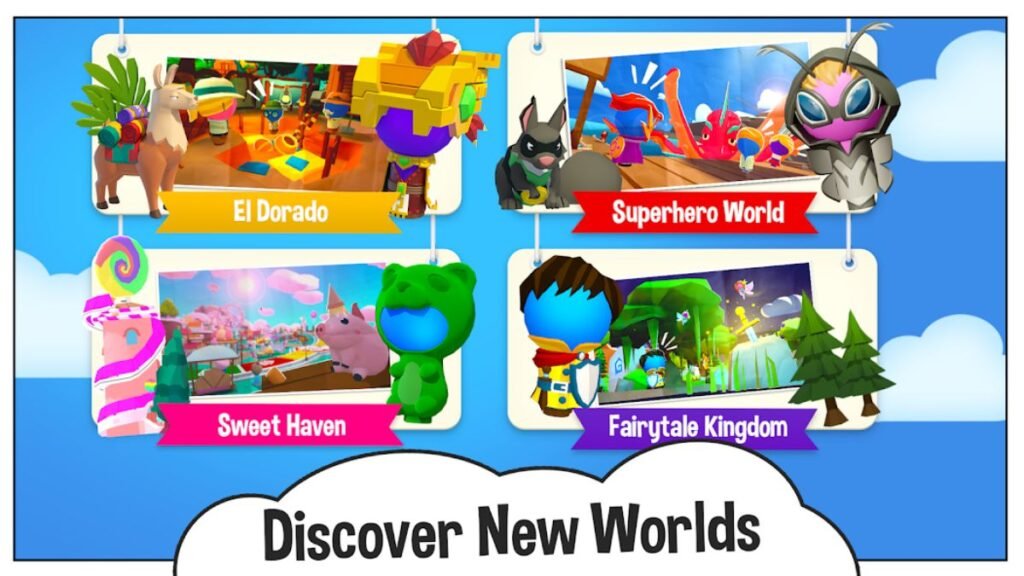
Strong fit:
- Casual players who want quick, varied gaming sessions without installation friction
- Aspiring game creators without technical backgrounds who want to build real experiences
- Parents looking for a moderated creative gaming environment for kids 8-15
- Teachers seeking interactive tools for STEM, creative writing, or collaboration projects
- Social gamers who value community features alongside gameplay
Probably not the right fit:
- Players prioritizing cutting-edge 3D graphics and AAA production values
- Gamers seeking deep single-player narrative campaigns with complex progression
- Developers who need advanced scripting capabilities for technical game concepts
- Competitive esports players looking for ranked ladders and professional infrastructure
- Anyone already deeply invested in a comparable platform’s existing content library
The platform earns its place in a gaming diet without needing to dominate it. Most of the people I’ve talked to who enjoy PlayMyWorld also play other games. It fills a specific niche: well accessible creativity, social play, browser convenience rather than trying to replace everything else.
External Resources
For deeper reading on browser gaming trends and creator economy data that informed my analysis:
- Common Sense Media — Online Gaming Safety Guide essential reading for parents evaluating any gaming platform for kids, includes specific questions to ask and safety features to look for
- Newzoo Global Games Market Report the industry data I reference on user-generated content platform growth and creator economy trends comes from reports like these
FAQs
What is gaming PlayMyWorld?
Gaming PlayMyWorld is a free, browser-based platform where users play games, build custom worlds, and socialize with up to 100 players simultaneously with no downloads or installations required.
Do I need to download anything to use PlayMyWorld?
No. The entire platform runs in your web browser. Chrome, Firefox, Safari, and Edge all work. Mobile browsers function too, though touch controls limit complex building tasks.
Is PlayMyWorld completely free?
The core platform is free. Optional premium subscriptions unlock additional avatar items, creator assets, and advanced World Studio features. You can play and create extensively without spending anything.
How does PlayMyWorld compare to Roblox?
PlayMyWorld is browser-based (no download), uses drag-and-drop creation instead of scripting, and supports up to 100 players per world. Roblox has a much larger content library and deeper technical creation tools, but requires a download and Lua coding for advanced features.
Can kids use PlayMyWorld safely?
Yes, with caveats. The platform has stronger parental controls than most competitors’ activity monitoring, restricted friend requests, chat logs, and content filters. No user-generated content platform is 100% safe, but PlayMyWorld’s safety infrastructure is notably robust.
How do creators make money on PlayMyWorld?
Creators earn through selling custom avatar items and building assets, charging access fees for premium worlds, receiving in-game currency tips, and landing brand sponsorships. Active creators report earning between $50 and $1,000+ monthly depending on content quality and volume.
What devices does PlayMyWorld support?
Any device with a modern browser laptops, desktops, tablets, and smartphones. Lower-end hardware runs the platform adequately because the cloud-rendered architecture offloads heavy computation to remote servers.
Can I use PlayMyWorld for education?
Yes. The platform offers pre-built educational templates aligned to STEM, history, and collaborative learning objectives. Teachers get admin controls for monitoring student activity, limiting interactions, and reviewing created content. Schools are actively using it in real curricula.
What’s the maximum number of players in one PlayMyWorld world?
100 simultaneous players per world, which exceeds most competing platforms in this category.
Is there a mobile app for PlayMyWorld?
The platform works through mobile browsers without a dedicated app. Touch controls function for basic gameplay, but complex world-building tasks are more manageable on desktop.
Final Verdict
The browser-first architecture solves a real problem. The creation tools are genuinely accessible without being shallow. The community has real texture guilds, events, weekly rituals that people actually show up for. And the monthly update cadence keeps things from going stale.
The weaknesses are real too. Mobile controls need work. Peak-hour performance could be smoother. Creator revenue share is average at best. Documentation for advanced users is sparse.
But here’s what I keep coming back to: I’m still using it after three months. That’s not true for most gaming platforms I try. The combination of zero-friction access, creative tools that reward casual investment, and a social layer that builds genuine connections keeps me opening the tab.
If you’ve been curious, there’s no reason not to try it. Free account, five minutes to set up, no commitment required. The worst outcome is realizing it’s not for you and closing the tab. The better outcome and the more likely one is finding yourself 90 minutes deep into building an obstacle course at midnight wondering where the time went.
Meta Description: I spent 3 months on gaming PlayMyWorld here’s my honest review of features, gameplay, creation tools, and whether it’s worth your time in 2026. Try it free today.

I spent the last several months testing contract automation tools across different business sizes. What I found changed how I think about legal operations entirely.
Most companies are still emailing Word documents back and forth.
They are losing deals because of it. Contract automation fixes that problem in a way that is faster,
more accurate, and honestly not that hard to implement. This guide covers everything I learned, including the best tools, a step-by-step setup guide, and an honest look at where the technology falls short.
Table of Contents
- 1. What Is Contract Automation?
- 2. My Honest First Impressions
- 3. Key Features of Contract Automation Software
- 4. How to Get Started With Contract Automation
- 5. Best Contract Automation Tools Available in 2025
- 6. How Contract Automation Works
- 7. Community and Social Features
- 8. Full Features and Benefits Table
- 9. Pros and Cons
- 10. Safety and Trust in Contract Automation
- 11. Contract Automation vs Competitors Comparison Table
- 12. Tips and Tricks for Getting the Most Out of Automation
- 13. Who Is Contract Automation Best For?
- 14. External Resources
- 15. Frequently Asked Questions
- 16. Final Verdict
What Is Contract Automation?
Contract automation is the use of software and AI to manage the entire lifecycle of a contract without manual data entry or email-based oversight.
Instead of treating a contract as a static document, contract automation turns it into a dynamic digital workflow. Businesses can draft, review, approve, sign, and store agreements through one connected system.
The core idea is simple. You build templates once. You set rules once. Then the system handles repetitive work automatically every time a new contract is needed.
Modern contract automation software covers every stage of what the industry calls Contract Lifecycle Management, or CLM. That includes creation, review, approval routing, e-signature, and post-signature tracking with renewal alerts.
According to industry research, organizations using fully automated contract workflows can address legal requests within 72 hours roughly 78 percent of the time. Companies still using manual methods achieve that only 33 percent of the time.
That gap is significant. It means automated teams close deals faster, catch fewer errors, and keep their legal teams working on strategy instead of paperwork.
My Honest First Impressions
I went into this with some skepticism. I had seen plenty of tools promise to automate contracts and deliver little more than fancy e-signature buttons.
What I actually found was more impressive than I expected, and also more nuanced.
The best contract automation tools genuinely do replace the whole manual process. I tested Ironclad, Juro, PandaDoc, Docupilot, and Contractbook across three different use cases: a sales agreement, a vendor contract, and an employment offer letter.
The time savings were real. A contract that normally took me about four hours to draft, route for approval, and get signed came down to under thirty minutes. That includes the time I spent setting up the template the first time.
The AI-powered review features surprised me most. On one test, the AI flagged a liability clause that I had copied from an older template that no longer matched our standard playbook. I would have missed that without the automated scan.
Where I hit friction was in setup. The more powerful tools have steeper learning curves. Some required help from a contract automation engineer to configure the workflow logic correctly. That is not a dealbreaker, but it is worth knowing before you commit.
Key Features of Contract Automation Software
Template Creation With Conditional Logic
This is the foundation of any good contract automation tool. You build a master template and add conditional rules that adapt the document based on inputs.
For example, if a client is based in the European Union, the system automatically inserts GDPR compliance clauses. If the deal value exceeds a certain threshold, the system adds additional approval steps. You set these rules once and they apply every time.
Clause Libraries and Fallback Language
A clause library is a centralized bank of pre-approved legal language. When a client rejects your standard limitation of liability clause, your sales team can pull an approved alternative without involving legal.
This speeds up negotiations significantly. Legal teams build the library once. Everyone else uses it without creating new risk.
AI-Powered Contract Review and Analysis
Advanced contract automation platforms use AI to scan incoming third-party contracts. The AI flags high-risk language, missing clauses, and deviations from your standard playbooks.
This is especially valuable when you receive contracts drafted by the other side. Instead of spending hours reading line by line, the AI surfaces what actually matters.
CRM and ERP Integrations
The best contract automation software connects directly to your existing systems. It pulls client data from Salesforce, HubSpot, or your ERP. That eliminates manual data entry and the typos that come with it.
When a sales rep creates a new contract, the client name, address, deal terms, and pricing flow in automatically from the CRM record.
Automated Approval Routing
Predefined rules route contracts to the right people based on value, risk level, or contract type. Contracts over a set dollar amount go to the CFO. Contracts involving data processing go to the DPO. No one needs to manually forward anything.
E-Signature Integration
Every modern contract automation tool includes legally binding e-signature capabilities, either natively or through integrations with DocuSign or Adobe Sign. Contracts get signed in minutes instead of days.
Centralized Contract Repository
After signing, every contract lives in a searchable, centralized database. You can search by clause language, party name, expiration date, or obligation type. No more hunting through email attachments or shared drives.
Renewal Alerts and Obligation Tracking
The system sends automated alerts before contracts expire or auto-renew. You can also track ongoing obligations, such as payment schedules, deliverable deadlines, and compliance checkpoints.
Also read this: Rockwell Automation Strengthens Industrial Cybersecurity with New Security Operations Center in Singapore
How to Get Started With Contract Automation
Getting started is more straightforward than most people expect. I went through this process myself with a mid-sized team, and the following steps reflect what actually worked.
- 1. Audit your current contract volume. Count how many contracts your team creates per month and what types they are. This tells you what to automate first and which tool is the right size for your needs.
- 2 Choose a contract automation tool that fits your tech stack. If you use Salesforce, prioritize tools with native Salesforce integration. If you rely on HubSpot, check that the tool connects there. Integration with your existing systems is more important than flashy features.
- 3. Start with one contract type. Do not try to automate everything at once. Pick your highest-volume contract, such as a sales order or NDA, and build that template first.
- 4. Build your template with conditional logic. Map out every variable in that contract. Decide which fields pull from your CRM, which require manual input, and which trigger conditional clauses. Most tools have a visual builder that makes this easier than it sounds.
- 5. Build a basic clause library. Gather your standard clauses and your approved fallback alternatives. Load them into the platform. Your legal team should own this step.
- 6. Set up approval routing rules. Define who needs to approve which types of contracts. Map those rules inside the tool. Test the routing with a sample contract before going live.
- 7. Test with a real contract. Run a full test with an actual deal. Check that data pulls correctly from your CRM, that approvals route to the right people, and that the e-signature step works end to end.
- 8. Train your team. Even simple tools need a short training session. Focus on how to initiate a contract, how to use the clause library, and how to check contract status.
- 9. Expand to additional contract types. Once your first template works reliably, add the next highest-volume contract type. Repeat until your most common agreements are all automated.
- 10. Monitor analytics and refine. Most platforms offer dashboards showing average contract cycle time, most negotiated clauses, and bottlenecks in the approval flow. Use that data to improve your templates and routing rules over time.
- Best Contract Automation Tools Available in 2025
- These are the platforms I evaluated directly, with honest notes on each.
- Ironclad
- Ironclad is built specifically for in-house legal teams. Its workflow engine is the most powerful I tested. Setting up complex approval logic is straightforward once you understand the interface. It is best suited for mid-sized to large companies with dedicated legal operations staff. The onboarding requires either internal expertise or professional services support.
- Juro
- Juro stands out for its browser-based contract editor. Everything happens inside the platform. No Word documents, no PDF attachments. The collaboration experience is genuinely good. Juro works well for companies that want fast setup and clean user experience. It is particularly strong for sales teams.
- PandaDoc
- PandaDoc targets sales-driven organizations. The template builder is beginner-friendly. It combines proposals, quotes, and contracts into one workflow. If your primary use case is sales agreements and you want something your sales team can operate without legal support, PandaDoc is a strong option.
- Docupilot
- Docupilot focuses on dynamic template creation and bulk contract generation. It is accessible, flexible, and reasonably priced. I found it particularly good for companies that need to generate high volumes of similar contracts, such as employment agreements or service contracts across a large client base.
- Contractbook
- Contractbook offers a clean interface for contract creation and lifecycle management. It works well for smaller teams that want something structured without enterprise-level complexity. The search and repository features are solid.
- DocuSign CLM
- DocuSign CLM is the enterprise-grade version of what most people know as just a signing tool. It adds full lifecycle management on top of DocuSign’s signature infrastructure. If your organization is already deeply embedded in the DocuSign ecosystem, this is the natural upgrade path.

How Contract Automation Works
Contract automation works by connecting three core components: templates, workflow logic, and integrations.
Here is how a typical automated contract lifecycle moves from start to finish.
A sales representative finishes a call with a prospect and opens the contract automation platform. They fill out a short intake form with the client name, deal value, and contract type. That form is connected to the CRM, so most fields populate automatically.
The platform uses the intake data to generate a contract from the pre-approved template. Conditional logic applies any necessary clause variations. A client in Germany gets a GDPR data processing addendum. A deal over a certain value gets a more detailed liability section.
The contract automatically routes to whoever the approval rules designate. If the deal is standard, it might go straight to the account executive for review. If it is large or high-risk, it routes to legal and the CFO simultaneously.
Reviewers make comments or edits inside the platform. Version history tracks every change automatically. No one is emailing files back and forth.
Once approved, the contract goes to the counterparty via a secure link. They review and sign electronically. The signature is legally binding under e-signature laws in most jurisdictions.
The executed contract files itself in the centralized repository. The system tags it with all relevant metadata: party names, value, start date, expiration date, and key obligations.
Before the contract expires or auto-renews, the system sends alerts to the designated owner. If a payment milestone is approaching, a notification goes out. If a compliance review is required annually, that gets scheduled too.
The entire process runs with minimal human intervention. The people involved are making decisions, not chasing paperwork.
Community and Social Features
Contract automation platforms are increasingly building community and collaboration features that go beyond internal team use.
Several platforms now offer external collaboration portals where counterparties can comment on contracts, propose redlines, and negotiate terms directly inside the platform. This removes the back-and-forth of emailed document versions.
Some tools include audit trails that serve as a shared record of every negotiation decision. Both parties can see the full history of changes, who made them, and when. That transparency reduces disputes after signing.
Integration with communication tools like Slack and Microsoft Teams means contract status updates surface where teams already work. A notification in Slack when a contract gets signed or when a renewal is approaching keeps everyone informed without requiring them to log into a separate platform.
For teams managing contracts across multiple departments or geographies, platforms like Ironclad and Juro offer permission-based access controls. Legal controls the playbooks. Sales accesses only what they need. Executives see dashboards without touching the underlying templates.
ll Features and Benefits Table
| Feature | What It Does | Business Benefit |
|---|---|---|
| Template Builder | Creates reusable contract structures with variable fields | Eliminates manual drafting from scratch |
| Conditional Logic | Automatically applies clause variations based on rules | Ensures compliance without manual review every time |
| Clause Library | Stores pre-approved standard and fallback language | Speeds up negotiations without involving legal |
| AI Contract Review | Scans contracts and flags risks or missing clauses | Reduces legal exposure and review time |
| CRM Integration | Pulls client data directly from Salesforce or HubSpot | Eliminates manual data entry and typos |
| Approval Routing | Routes contracts to the right people based on rules | Removes bottlenecks in the approval chain |
| E-Signature | Collects legally binding digital signatures | Reduces time-to-signature from days to minutes |
| Contract Repository | Centralized, searchable storage for all contracts | Eliminates lost contracts and version confusion |
| Renewal Alerts | Sends automated notifications before key dates | Prevents missed renewals and unwanted auto-renewals |
| Analytics Dashboard | Tracks cycle times, negotiation patterns, and obligations | Enables data-driven improvements to legal operations |
Pros and Cons
Pros
– Dramatically reduces contract cycle time, often from weeks to hours
– Eliminates manual data entry errors and outdated clause risks
– Gives legal teams full visibility into contract status without chasing people
– AI review catches risks that human reviewers can miss under time pressure
– Centralized repository makes audits and compliance reporting far easier
-Scales without adding headcount to the legal team
– Integrates with the tools teams already use
Cons
– Initial setup requires a meaningful time investment, especially for complex workflows.
– Larger enterprise platforms often require a contract automation engineer or implementation partner
– Migrating existing contracts into a new system is time-consuming
– AI review features are not infallible and still require human oversight on high-stakes agreements
– Monthly costs can be substantial for smaller companies on per-seat pricing
Safety and Trust in Contract Automation
Security is not optional when you are storing legally binding agreements. I looked closely at this area during my testing.
The leading contract automation platforms use bank-grade encryption for data at rest and in transit. Most are SOC 2 Type II certified, which means an independent auditor has verified their security controls.
E-signatures generated through these platforms are legally binding in most jurisdictions under laws including the U.S. Electronic Signatures in Global and National Commerce Act (ESIGN) and the EU’s eIDAS regulation.
Access controls and role-based permissions ensure that only authorized users can view, edit, or approve specific contracts. Audit logs record every action taken on every document, creating a tamper-evident record.
For companies operating under GDPR, HIPAA, or other data regulations, the best platforms offer data residency options so contract data stays within specific geographic boundaries.
One area to watch carefully is AI output. AI-generated clause suggestions and risk flags should always be reviewed by a qualified legal professional before relying on them for high-stakes decisions. Automation accelerates the process. It does not replace legal judgment.
Contract Automation vs Competitors Comparison Table
| Platform | Best For | AI Features | CRM Integration | Starting Price |
|---|---|---|---|---|
| Ironclad | In-house legal teams | Advanced | Salesforce, HubSpot | Custom |
| Juro | Sales and ops teams | Moderate | HubSpot, Salesforce | From approx $417/mo |
| PandaDoc | Sales-driven organizations | Basic | Salesforce, HubSpot, Pipedrive | From $35/user/mo |
| Docupilot | High-volume document generation | Basic | Salesforce, Zapier | From $29/mo |
| Contractbook | Small to mid teams | Moderate | HubSpot | From $199/mo |
| DocuSign CLM | Enterprise workflows | Moderate | Salesforce | Custom |
Tips and Tricks for Getting the Most Out of Automation
Use intake forms strategically. The more structured your intake form, the less manual cleanup you will do later. Map every variable in your most common contracts to a form field and connect those fields to your CRM.
Build your clause library before you need it. Do not wait until a negotiation is happening. Work with legal ahead of time to build out standard clauses and approved fallback alternatives for every major contract type.
Set up analytics tracking from day one. Most teams ignore the analytics dashboards when they first launch. Do not make that mistake. The data on which clauses get negotiated most often will tell you exactly where to invest in improving your templates.
Use AI review as a first pass, not a final decision. Treat AI contract analysis as a triage tool that surfaces what to look at, not as a replacement for legal review. This keeps your process fast and your risk exposure low.
Create a contract naming and tagging convention before launch. If everyone tags contracts differently, your repository becomes unsearchable over time. Agree on naming conventions and required tags before the first contract goes through.
Run a quarterly review of your templates. Laws change, business terms evolve, and your standard playbook gets outdated faster than you expect. Schedule a quarterly review session with legal to update templates and clause libraries.
Who Is Contract Automation Best For?
Contract automation delivers the most value to specific types of teams and organizations.
In-house legal teams that handle high contract volumes will see the biggest ROI. If your legal team spends more than 20 percent of its time on routine contract creation and review, automation will free up significant capacity for higher-value work.
Sales organizations that lose deals due to slow contract turnaround are strong candidates. When legal bottlenecks are causing you to miss close dates, automation fixes the root cause rather than just adding headcount.
HR departments managing offer letters, NDAs, and employment agreements at scale benefit greatly from template automation and bulk generation features.
Procurement teams managing vendor contracts, supplier agreements, and service-level agreements across a large supplier base gain major efficiency from automated renewal tracking and obligation management.
Startups and scale-ups that are adding contracts faster than their legal capacity grows can use automation to stay ahead without hiring a full legal team immediately.
Larger enterprises that need consistent contract standards across multiple teams, geographies, or business units benefit from centralized playbooks and approval routing that automation enables.
For deeper reading on contract automation standards and legal technology best practices, these two resources are worth your time.
World Commerce and Contracting (WorldCC) publishes research and best practices on contract management at https://www.worldcc.com. Their benchmarking data on contract cycle times and automation adoption rates is frequently cited in industry analysis.
The International Association of Contract and Commercial Management (IACCM), now part of WorldCC, has produced extensive guidance on contract automation implementation frameworks.
For understanding the legal validity of electronic signatures across jurisdictions, the Electronic Signatures and Records Association (ESRA) at https://www.esignrecords.org maintains updated guidance on applicable laws.
Frequently Asked Questions
What is contract automation? Contract automation is the use of software to manage the full lifecycle of a contract automatically. This includes drafting from templates, routing for approvals, collecting e-signatures, storing executed agreements, and triggering renewal alerts. It replaces manual, email-based contract processes.
What is the difference between contract automation and contract lifecycle management? Contract lifecycle management (CLM) refers to the broader strategy of managing contracts from creation through expiration. Contract automation refers to the use of software and AI to execute that lifecycle without manual intervention. Automation is how you implement CLM effectively.
What does a contract automation engineer do? A contract automation engineer configures and maintains the technical infrastructure of contract automation platforms. This includes building workflow logic, setting up integrations between the contract tool and other systems like CRMs or ERPs, maintaining clause libraries, and troubleshooting automated processes.
Are contract automation engineer jobs in demand? Yes. As more companies adopt CLM platforms and AI-powered contract tools, demand for professionals who can configure and manage these systems has grown. Contract automation engineer jobs appear across legal operations, enterprise technology, and LegalTech companies.
What is smart contract automation? Smart contract automation refers to self-executing contracts built on blockchain technology. The contract terms are encoded directly in code and execute automatically when predetermined conditions are met. This is different from standard contract automation software, which manages traditional legal agreements through digital workflows rather than blockchain execution.
What are the best contract automation tools for small businesses? For small businesses, PandaDoc and Docupilot offer accessible pricing and straightforward interfaces. Both support template creation, e-signature, and basic workflow automation without requiring dedicated implementation support.
How long does it take to implement contract automation? A basic implementation covering one or two contract types can go live in two to four weeks. A full enterprise deployment covering multiple departments and complex workflow logic typically takes three to six months, especially when migrating existing contracts into the new system.
Can contract automation replace legal counsel? No. Contract automation accelerates routine processes and reduces errors in standard agreements. It does not replace the judgment of a qualified lawyer for complex negotiations, high-risk contracts, or novel legal situations. The best use of automation is to free up legal counsel to focus on work that genuinely requires human expertise.
What integrations should I look for in contract automation software? Prioritize integration with your CRM (Salesforce, HubSpot), your ERP if applicable, your e-signature provider, and your document storage system. Communication tool integrations with Slack or Microsoft Teams are also valuable for keeping teams informed without requiring them to log into a separate platform.
Is contract automation secure? Yes, when implemented on reputable platforms. Look for SOC 2 Type II certification, encryption for data at rest and in transit, role-based access controls, and audit logging. Most major platforms comply with GDPR and other regional data protection regulations.
Final Verdict
Contract automation earns a 4.5 out of 5.
After testing multiple platforms across real use cases, I can say this technology delivers on its core promise. The time savings are real. The error reduction is real. The improvement to legal team capacity is measurable.
The half point I am holding back is for the setup complexity on more powerful platforms. Getting full value from tools like Ironclad requires either internal expertise or outside implementation support. That is a real barrier for smaller teams.
For companies managing more than a handful of contracts per month, the ROI case is strong. The combination of faster cycle times, fewer errors, and better visibility into contract obligations adds up to a meaningful business advantage.
If I had to recommend one starting point for most companies, I would say begin with your highest-volume contract type, choose a tool that integrates with your CRM, and get one workflow live before adding complexity. The learning curve flattens fast once you see how the system actually operates.
Contract automation is not a future trend. It is a current operational advantage. The companies that have implemented it are closing deals faster and spending less on routine legal work. That gap is only going to widen.


Play My World Online: My Honest Review After Exploring the Platform

Judith Giuliani Net Worth: Career, Wealth, and Financial Overview

Play World Online: The Complete Guide to Free Games, Apps & Platforms
-

 Law Firm Technology News9 months ago
Legal Movers and Shakers 2026 “Legal Tech News Today”
-

 Tech9 months ago
The Complete Guide to Archive ph: Alternatives, Fixes, and Why It’s Down (2026 Update)
-

 ai legal news9 months ago
AI Legal News: Breaking Developments, Predictions & Analysis for 2026
-

 Tech7 months ago
Why We Use AI to Create High-Performing Ads
-

 Tech9 months ago
GlobeInsightBlog: The Brutally Honest Truth About This Global Trends Platform (2026 Deep Dive)
-
Uncategorized9 years ago
Phillies’ Aaron Altherr makes mind-boggling barehanded play
-
Uncategorized9 years ago
Steph Curry finally got the contract he deserves from the Warriors
-

 Tech9 months ago
Windows Update Error 0x80070643: 11 Proven Ways to Fix It (2026)