AI
Contract Automation: The Complete 2025 Guide
I spent the last several months testing contract automation tools across different business sizes. What I found changed how I think about legal operations entirely.
Most companies are still emailing Word documents back and forth.
They are losing deals because of it. Contract automation fixes that problem in a way that is faster,
more accurate, and honestly not that hard to implement. This guide covers everything I learned, including the best tools, a step-by-step setup guide, and an honest look at where the technology falls short.
Table of Contents
- 1. What Is Contract Automation?
- 2. My Honest First Impressions
- 3. Key Features of Contract Automation Software
- 4. How to Get Started With Contract Automation
- 5. Best Contract Automation Tools Available in 2025
- 6. How Contract Automation Works
- 7. Community and Social Features
- 8. Full Features and Benefits Table
- 9. Pros and Cons
- 10. Safety and Trust in Contract Automation
- 11. Contract Automation vs Competitors Comparison Table
- 12. Tips and Tricks for Getting the Most Out of Automation
- 13. Who Is Contract Automation Best For?
- 14. External Resources
- 15. Frequently Asked Questions
- 16. Final Verdict
What Is Contract Automation?
Contract automation is the use of software and AI to manage the entire lifecycle of a contract without manual data entry or email-based oversight.
Instead of treating a contract as a static document, contract automation turns it into a dynamic digital workflow. Businesses can draft, review, approve, sign, and store agreements through one connected system.
The core idea is simple. You build templates once. You set rules once. Then the system handles repetitive work automatically every time a new contract is needed.
Modern contract automation software covers every stage of what the industry calls Contract Lifecycle Management, or CLM. That includes creation, review, approval routing, e-signature, and post-signature tracking with renewal alerts.
According to industry research, organizations using fully automated contract workflows can address legal requests within 72 hours roughly 78 percent of the time. Companies still using manual methods achieve that only 33 percent of the time.
That gap is significant. It means automated teams close deals faster, catch fewer errors, and keep their legal teams working on strategy instead of paperwork.
My Honest First Impressions
I went into this with some skepticism. I had seen plenty of tools promise to automate contracts and deliver little more than fancy e-signature buttons.
What I actually found was more impressive than I expected, and also more nuanced.
The best contract automation tools genuinely do replace the whole manual process. I tested Ironclad, Juro, PandaDoc, Docupilot, and Contractbook across three different use cases: a sales agreement, a vendor contract, and an employment offer letter.
The time savings were real. A contract that normally took me about four hours to draft, route for approval, and get signed came down to under thirty minutes. That includes the time I spent setting up the template the first time.
The AI-powered review features surprised me most. On one test, the AI flagged a liability clause that I had copied from an older template that no longer matched our standard playbook. I would have missed that without the automated scan.
Where I hit friction was in setup. The more powerful tools have steeper learning curves. Some required help from a contract automation engineer to configure the workflow logic correctly. That is not a dealbreaker, but it is worth knowing before you commit.
Key Features of Contract Automation Software
Template Creation With Conditional Logic
This is the foundation of any good contract automation tool. You build a master template and add conditional rules that adapt the document based on inputs.
For example, if a client is based in the European Union, the system automatically inserts GDPR compliance clauses. If the deal value exceeds a certain threshold, the system adds additional approval steps. You set these rules once and they apply every time.
Clause Libraries and Fallback Language
A clause library is a centralized bank of pre-approved legal language. When a client rejects your standard limitation of liability clause, your sales team can pull an approved alternative without involving legal.
This speeds up negotiations significantly. Legal teams build the library once. Everyone else uses it without creating new risk.
AI-Powered Contract Review and Analysis
Advanced contract automation platforms use AI to scan incoming third-party contracts. The AI flags high-risk language, missing clauses, and deviations from your standard playbooks.
This is especially valuable when you receive contracts drafted by the other side. Instead of spending hours reading line by line, the AI surfaces what actually matters.
CRM and ERP Integrations
The best contract automation software connects directly to your existing systems. It pulls client data from Salesforce, HubSpot, or your ERP. That eliminates manual data entry and the typos that come with it.
When a sales rep creates a new contract, the client name, address, deal terms, and pricing flow in automatically from the CRM record.
Automated Approval Routing
Predefined rules route contracts to the right people based on value, risk level, or contract type. Contracts over a set dollar amount go to the CFO. Contracts involving data processing go to the DPO. No one needs to manually forward anything.
E-Signature Integration
Every modern contract automation tool includes legally binding e-signature capabilities, either natively or through integrations with DocuSign or Adobe Sign. Contracts get signed in minutes instead of days.
Centralized Contract Repository
After signing, every contract lives in a searchable, centralized database. You can search by clause language, party name, expiration date, or obligation type. No more hunting through email attachments or shared drives.
Renewal Alerts and Obligation Tracking
The system sends automated alerts before contracts expire or auto-renew. You can also track ongoing obligations, such as payment schedules, deliverable deadlines, and compliance checkpoints.
Also read this: Rockwell Automation Strengthens Industrial Cybersecurity with New Security Operations Center in Singapore
How to Get Started With Contract Automation
Getting started is more straightforward than most people expect. I went through this process myself with a mid-sized team, and the following steps reflect what actually worked.
- 1. Audit your current contract volume. Count how many contracts your team creates per month and what types they are. This tells you what to automate first and which tool is the right size for your needs.
- 2 Choose a contract automation tool that fits your tech stack. If you use Salesforce, prioritize tools with native Salesforce integration. If you rely on HubSpot, check that the tool connects there. Integration with your existing systems is more important than flashy features.
- 3. Start with one contract type. Do not try to automate everything at once. Pick your highest-volume contract, such as a sales order or NDA, and build that template first.
- 4. Build your template with conditional logic. Map out every variable in that contract. Decide which fields pull from your CRM, which require manual input, and which trigger conditional clauses. Most tools have a visual builder that makes this easier than it sounds.
- 5. Build a basic clause library. Gather your standard clauses and your approved fallback alternatives. Load them into the platform. Your legal team should own this step.
- 6. Set up approval routing rules. Define who needs to approve which types of contracts. Map those rules inside the tool. Test the routing with a sample contract before going live.
- 7. Test with a real contract. Run a full test with an actual deal. Check that data pulls correctly from your CRM, that approvals route to the right people, and that the e-signature step works end to end.
- 8. Train your team. Even simple tools need a short training session. Focus on how to initiate a contract, how to use the clause library, and how to check contract status.
- 9. Expand to additional contract types. Once your first template works reliably, add the next highest-volume contract type. Repeat until your most common agreements are all automated.
- 10. Monitor analytics and refine. Most platforms offer dashboards showing average contract cycle time, most negotiated clauses, and bottlenecks in the approval flow. Use that data to improve your templates and routing rules over time.
- Best Contract Automation Tools Available in 2025
- These are the platforms I evaluated directly, with honest notes on each.
- Ironclad
- Ironclad is built specifically for in-house legal teams. Its workflow engine is the most powerful I tested. Setting up complex approval logic is straightforward once you understand the interface. It is best suited for mid-sized to large companies with dedicated legal operations staff. The onboarding requires either internal expertise or professional services support.
- Juro
- Juro stands out for its browser-based contract editor. Everything happens inside the platform. No Word documents, no PDF attachments. The collaboration experience is genuinely good. Juro works well for companies that want fast setup and clean user experience. It is particularly strong for sales teams.
- PandaDoc
- PandaDoc targets sales-driven organizations. The template builder is beginner-friendly. It combines proposals, quotes, and contracts into one workflow. If your primary use case is sales agreements and you want something your sales team can operate without legal support, PandaDoc is a strong option.
- Docupilot
- Docupilot focuses on dynamic template creation and bulk contract generation. It is accessible, flexible, and reasonably priced. I found it particularly good for companies that need to generate high volumes of similar contracts, such as employment agreements or service contracts across a large client base.
- Contractbook
- Contractbook offers a clean interface for contract creation and lifecycle management. It works well for smaller teams that want something structured without enterprise-level complexity. The search and repository features are solid.
- DocuSign CLM
- DocuSign CLM is the enterprise-grade version of what most people know as just a signing tool. It adds full lifecycle management on top of DocuSign’s signature infrastructure. If your organization is already deeply embedded in the DocuSign ecosystem, this is the natural upgrade path.
How Contract Automation Works
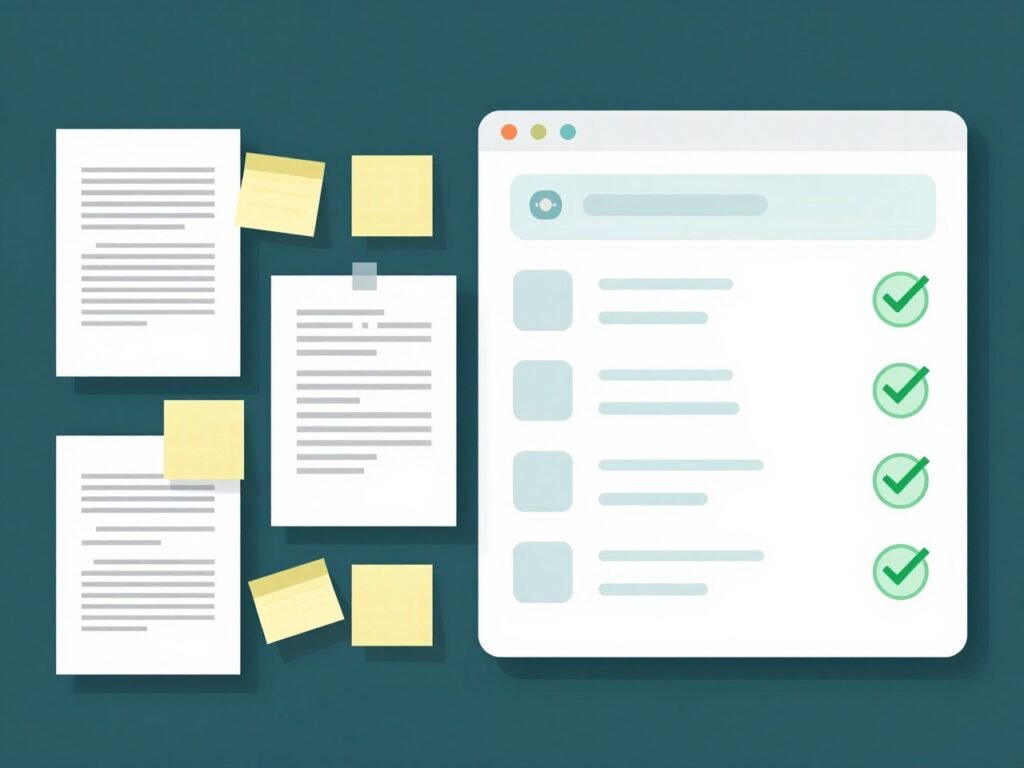
Contract automation works by connecting three core components: templates, workflow logic, and integrations.
Here is how a typical automated contract lifecycle moves from start to finish.
A sales representative finishes a call with a prospect and opens the contract automation platform. They fill out a short intake form with the client name, deal value, and contract type. That form is connected to the CRM, so most fields populate automatically.
The platform uses the intake data to generate a contract from the pre-approved template. Conditional logic applies any necessary clause variations. A client in Germany gets a GDPR data processing addendum. A deal over a certain value gets a more detailed liability section.
The contract automatically routes to whoever the approval rules designate. If the deal is standard, it might go straight to the account executive for review. If it is large or high-risk, it routes to legal and the CFO simultaneously.
Reviewers make comments or edits inside the platform. Version history tracks every change automatically. No one is emailing files back and forth.
Once approved, the contract goes to the counterparty via a secure link. They review and sign electronically. The signature is legally binding under e-signature laws in most jurisdictions.
The executed contract files itself in the centralized repository. The system tags it with all relevant metadata: party names, value, start date, expiration date, and key obligations.
Before the contract expires or auto-renews, the system sends alerts to the designated owner. If a payment milestone is approaching, a notification goes out. If a compliance review is required annually, that gets scheduled too.
The entire process runs with minimal human intervention. The people involved are making decisions, not chasing paperwork.
Community and Social Features
Contract automation platforms are increasingly building community and collaboration features that go beyond internal team use.
Several platforms now offer external collaboration portals where counterparties can comment on contracts, propose redlines, and negotiate terms directly inside the platform. This removes the back-and-forth of emailed document versions.
Some tools include audit trails that serve as a shared record of every negotiation decision. Both parties can see the full history of changes, who made them, and when. That transparency reduces disputes after signing.
Integration with communication tools like Slack and Microsoft Teams means contract status updates surface where teams already work. A notification in Slack when a contract gets signed or when a renewal is approaching keeps everyone informed without requiring them to log into a separate platform.
For teams managing contracts across multiple departments or geographies, platforms like Ironclad and Juro offer permission-based access controls. Legal controls the playbooks. Sales accesses only what they need. Executives see dashboards without touching the underlying templates.
ll Features and Benefits Table
| Feature | What It Does | Business Benefit |
|---|---|---|
| Template Builder | Creates reusable contract structures with variable fields | Eliminates manual drafting from scratch |
| Conditional Logic | Automatically applies clause variations based on rules | Ensures compliance without manual review every time |
| Clause Library | Stores pre-approved standard and fallback language | Speeds up negotiations without involving legal |
| AI Contract Review | Scans contracts and flags risks or missing clauses | Reduces legal exposure and review time |
| CRM Integration | Pulls client data directly from Salesforce or HubSpot | Eliminates manual data entry and typos |
| Approval Routing | Routes contracts to the right people based on rules | Removes bottlenecks in the approval chain |
| E-Signature | Collects legally binding digital signatures | Reduces time-to-signature from days to minutes |
| Contract Repository | Centralized, searchable storage for all contracts | Eliminates lost contracts and version confusion |
| Renewal Alerts | Sends automated notifications before key dates | Prevents missed renewals and unwanted auto-renewals |
| Analytics Dashboard | Tracks cycle times, negotiation patterns, and obligations | Enables data-driven improvements to legal operations |
Pros and Cons
Pros
– Dramatically reduces contract cycle time, often from weeks to hours
– Eliminates manual data entry errors and outdated clause risks
– Gives legal teams full visibility into contract status without chasing people
– AI review catches risks that human reviewers can miss under time pressure
– Centralized repository makes audits and compliance reporting far easier
-Scales without adding headcount to the legal team
– Integrates with the tools teams already use
Cons
– Initial setup requires a meaningful time investment, especially for complex workflows.
– Larger enterprise platforms often require a contract automation engineer or implementation partner
– Migrating existing contracts into a new system is time-consuming
– AI review features are not infallible and still require human oversight on high-stakes agreements
– Monthly costs can be substantial for smaller companies on per-seat pricing
Safety and Trust in Contract Automation
Security is not optional when you are storing legally binding agreements. I looked closely at this area during my testing.
The leading contract automation platforms use bank-grade encryption for data at rest and in transit. Most are SOC 2 Type II certified, which means an independent auditor has verified their security controls.
E-signatures generated through these platforms are legally binding in most jurisdictions under laws including the U.S. Electronic Signatures in Global and National Commerce Act (ESIGN) and the EU’s eIDAS regulation.
Access controls and role-based permissions ensure that only authorized users can view, edit, or approve specific contracts. Audit logs record every action taken on every document, creating a tamper-evident record.
For companies operating under GDPR, HIPAA, or other data regulations, the best platforms offer data residency options so contract data stays within specific geographic boundaries.
One area to watch carefully is AI output. AI-generated clause suggestions and risk flags should always be reviewed by a qualified legal professional before relying on them for high-stakes decisions. Automation accelerates the process. It does not replace legal judgment.
Contract Automation vs Competitors Comparison Table
| Platform | Best For | AI Features | CRM Integration | Starting Price |
|---|---|---|---|---|
| Ironclad | In-house legal teams | Advanced | Salesforce, HubSpot | Custom |
| Juro | Sales and ops teams | Moderate | HubSpot, Salesforce | From approx $417/mo |
| PandaDoc | Sales-driven organizations | Basic | Salesforce, HubSpot, Pipedrive | From $35/user/mo |
| Docupilot | High-volume document generation | Basic | Salesforce, Zapier | From $29/mo |
| Contractbook | Small to mid teams | Moderate | HubSpot | From $199/mo |
| DocuSign CLM | Enterprise workflows | Moderate | Salesforce | Custom |
Tips and Tricks for Getting the Most Out of Automation
Use intake forms strategically. The more structured your intake form, the less manual cleanup you will do later. Map every variable in your most common contracts to a form field and connect those fields to your CRM.
Build your clause library before you need it. Do not wait until a negotiation is happening. Work with legal ahead of time to build out standard clauses and approved fallback alternatives for every major contract type.
Set up analytics tracking from day one. Most teams ignore the analytics dashboards when they first launch. Do not make that mistake. The data on which clauses get negotiated most often will tell you exactly where to invest in improving your templates.
Use AI review as a first pass, not a final decision. Treat AI contract analysis as a triage tool that surfaces what to look at, not as a replacement for legal review. This keeps your process fast and your risk exposure low.
Create a contract naming and tagging convention before launch. If everyone tags contracts differently, your repository becomes unsearchable over time. Agree on naming conventions and required tags before the first contract goes through.
Run a quarterly review of your templates. Laws change, business terms evolve, and your standard playbook gets outdated faster than you expect. Schedule a quarterly review session with legal to update templates and clause libraries.
Who Is Contract Automation Best For?
Contract automation delivers the most value to specific types of teams and organizations.
In-house legal teams that handle high contract volumes will see the biggest ROI. If your legal team spends more than 20 percent of its time on routine contract creation and review, automation will free up significant capacity for higher-value work.
Sales organizations that lose deals due to slow contract turnaround are strong candidates. When legal bottlenecks are causing you to miss close dates, automation fixes the root cause rather than just adding headcount.
HR departments managing offer letters, NDAs, and employment agreements at scale benefit greatly from template automation and bulk generation features.
Procurement teams managing vendor contracts, supplier agreements, and service-level agreements across a large supplier base gain major efficiency from automated renewal tracking and obligation management.
Startups and scale-ups that are adding contracts faster than their legal capacity grows can use automation to stay ahead without hiring a full legal team immediately.
Larger enterprises that need consistent contract standards across multiple teams, geographies, or business units benefit from centralized playbooks and approval routing that automation enables.
For deeper reading on contract automation standards and legal technology best practices, these two resources are worth your time.
World Commerce and Contracting (WorldCC) publishes research and best practices on contract management at https://www.worldcc.com. Their benchmarking data on contract cycle times and automation adoption rates is frequently cited in industry analysis.
The International Association of Contract and Commercial Management (IACCM), now part of WorldCC, has produced extensive guidance on contract automation implementation frameworks.
For understanding the legal validity of electronic signatures across jurisdictions, the Electronic Signatures and Records Association (ESRA) at https://www.esignrecords.org maintains updated guidance on applicable laws.
Frequently Asked Questions
What is contract automation? Contract automation is the use of software to manage the full lifecycle of a contract automatically. This includes drafting from templates, routing for approvals, collecting e-signatures, storing executed agreements, and triggering renewal alerts. It replaces manual, email-based contract processes.
What is the difference between contract automation and contract lifecycle management? Contract lifecycle management (CLM) refers to the broader strategy of managing contracts from creation through expiration. Contract automation refers to the use of software and AI to execute that lifecycle without manual intervention. Automation is how you implement CLM effectively.
What does a contract automation engineer do? A contract automation engineer configures and maintains the technical infrastructure of contract automation platforms. This includes building workflow logic, setting up integrations between the contract tool and other systems like CRMs or ERPs, maintaining clause libraries, and troubleshooting automated processes.
Are contract automation engineer jobs in demand? Yes. As more companies adopt CLM platforms and AI-powered contract tools, demand for professionals who can configure and manage these systems has grown. Contract automation engineer jobs appear across legal operations, enterprise technology, and LegalTech companies.
What is smart contract automation? Smart contract automation refers to self-executing contracts built on blockchain technology. The contract terms are encoded directly in code and execute automatically when predetermined conditions are met. This is different from standard contract automation software, which manages traditional legal agreements through digital workflows rather than blockchain execution.
What are the best contract automation tools for small businesses? For small businesses, PandaDoc and Docupilot offer accessible pricing and straightforward interfaces. Both support template creation, e-signature, and basic workflow automation without requiring dedicated implementation support.
How long does it take to implement contract automation? A basic implementation covering one or two contract types can go live in two to four weeks. A full enterprise deployment covering multiple departments and complex workflow logic typically takes three to six months, especially when migrating existing contracts into the new system.
Can contract automation replace legal counsel? No. Contract automation accelerates routine processes and reduces errors in standard agreements. It does not replace the judgment of a qualified lawyer for complex negotiations, high-risk contracts, or novel legal situations. The best use of automation is to free up legal counsel to focus on work that genuinely requires human expertise.
What integrations should I look for in contract automation software? Prioritize integration with your CRM (Salesforce, HubSpot), your ERP if applicable, your e-signature provider, and your document storage system. Communication tool integrations with Slack or Microsoft Teams are also valuable for keeping teams informed without requiring them to log into a separate platform.
Is contract automation secure? Yes, when implemented on reputable platforms. Look for SOC 2 Type II certification, encryption for data at rest and in transit, role-based access controls, and audit logging. Most major platforms comply with GDPR and other regional data protection regulations.
Final Verdict
Contract automation earns a 4.5 out of 5.
After testing multiple platforms across real use cases, I can say this technology delivers on its core promise. The time savings are real. The error reduction is real. The improvement to legal team capacity is measurable.
The half point I am holding back is for the setup complexity on more powerful platforms. Getting full value from tools like Ironclad requires either internal expertise or outside implementation support. That is a real barrier for smaller teams.
For companies managing more than a handful of contracts per month, the ROI case is strong. The combination of faster cycle times, fewer errors, and better visibility into contract obligations adds up to a meaningful business advantage.
If I had to recommend one starting point for most companies, I would say begin with your highest-volume contract type, choose a tool that integrates with your CRM, and get one workflow live before adding complexity. The learning curve flattens fast once you see how the system actually operates.
Contract automation is not a future trend. It is a current operational advantage. The companies that have implemented it are closing deals faster and spending less on routine legal work. That gap is only going to widen.